
Appearance
Play the current examples
These are actual UE 5.8.3 source-project interfaces after the edge/alignment correction. The capture cursor is temporarily hidden and then restored. These are not mockups or images from the older packaged candidate. The examples use public widgets, entries, themes, layouts and CommonUI stacks; their small gameplay backends stay in ForgeExamples.
Open /Game/ForgeExamples/Maps/ForgeGateway and press Play to choose a genre, or open Emberfall/Ironfront directly. The older package has not been refreshed for these changes. Physical controller/touch remain unverified; this gallery does not certify performance or release readiness.
Start at the example hub
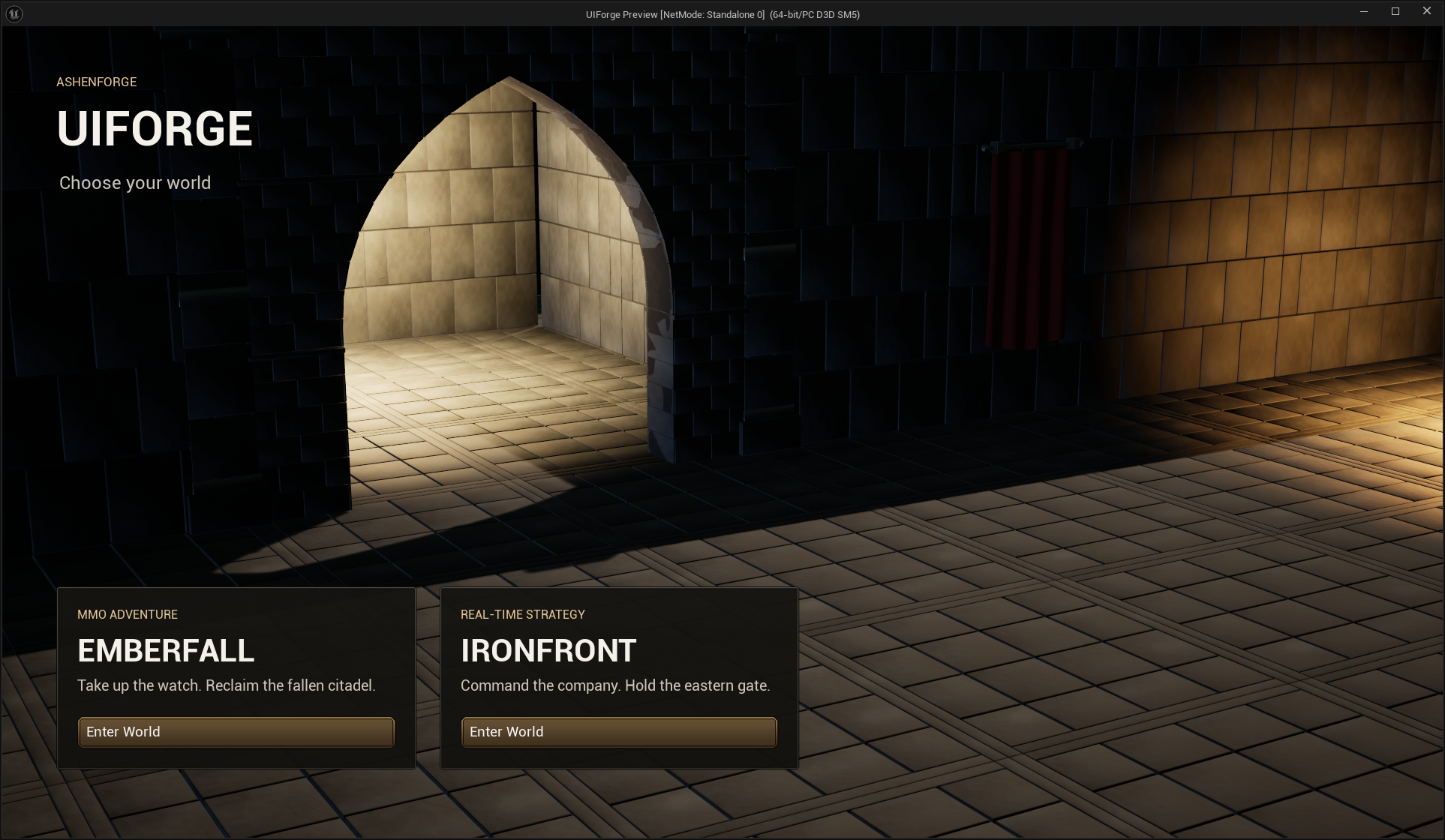
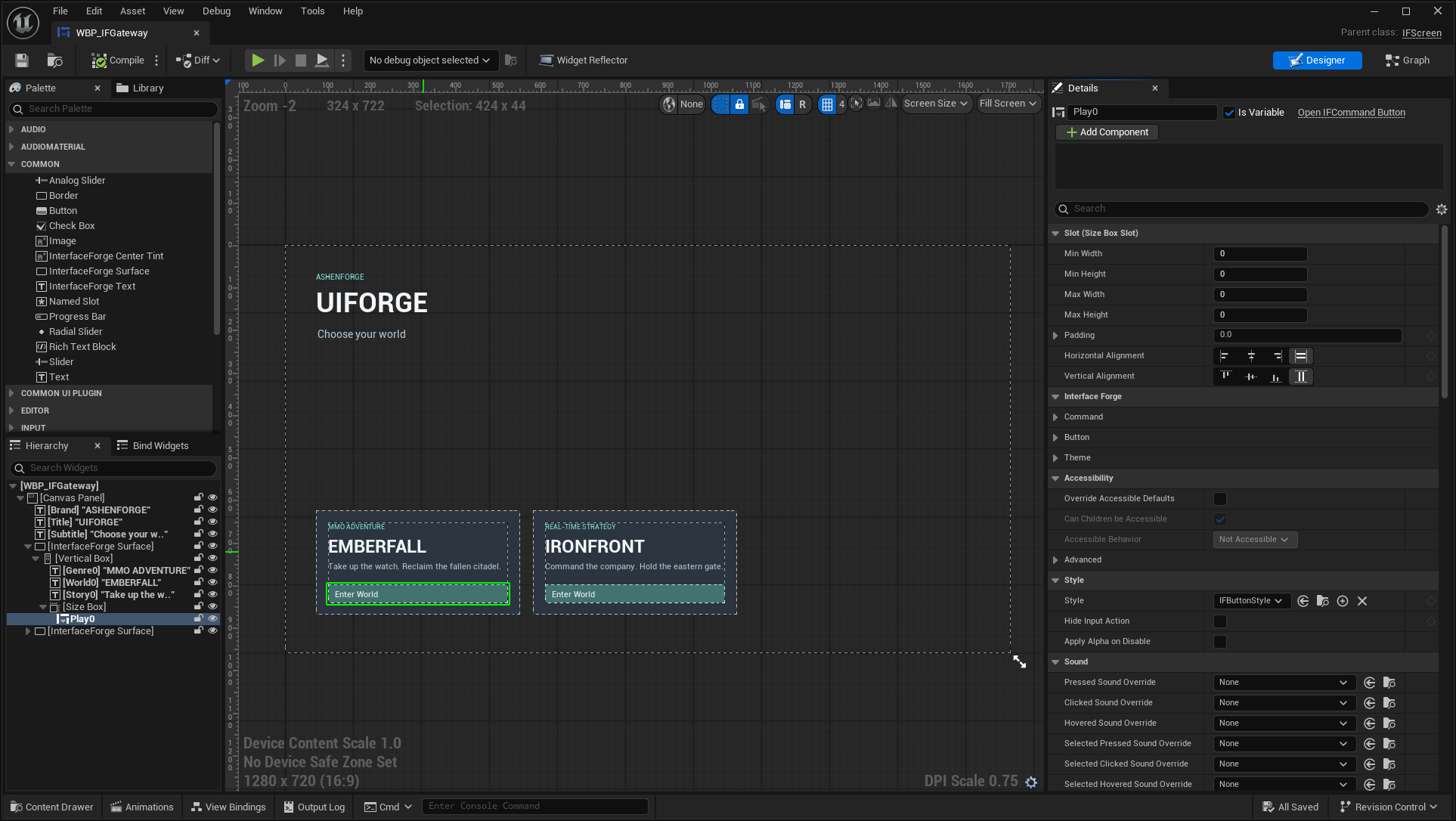
Choose Enter World on the genre you want to play. The launcher itself is /Game/ForgeExamples/UI/WBP_IFGateway, a saved IFScreen Blueprint. Open it in Designer to change the card text, composition or presentation; Play0 and Play1 are public IFCommandButton controls.
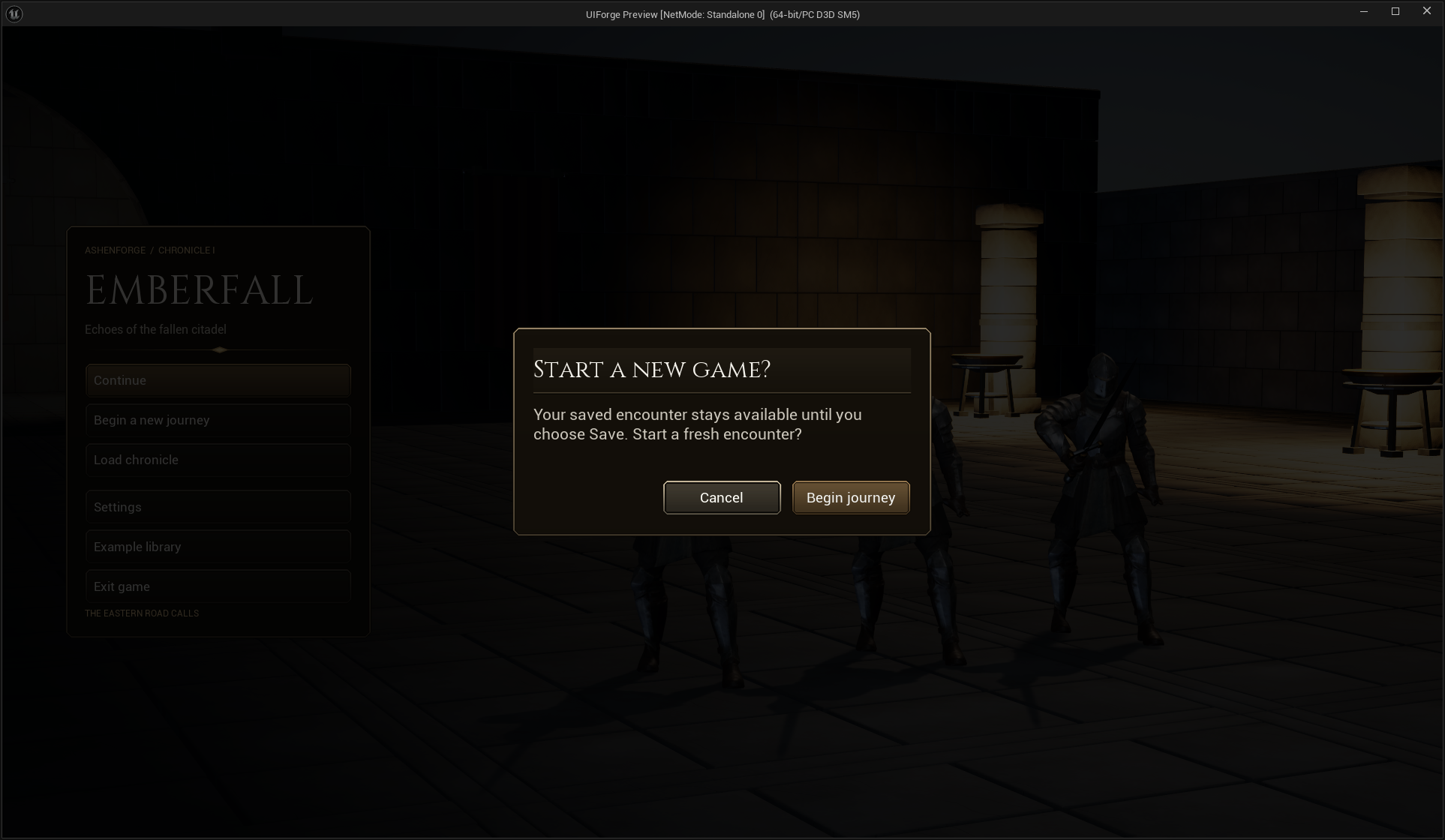
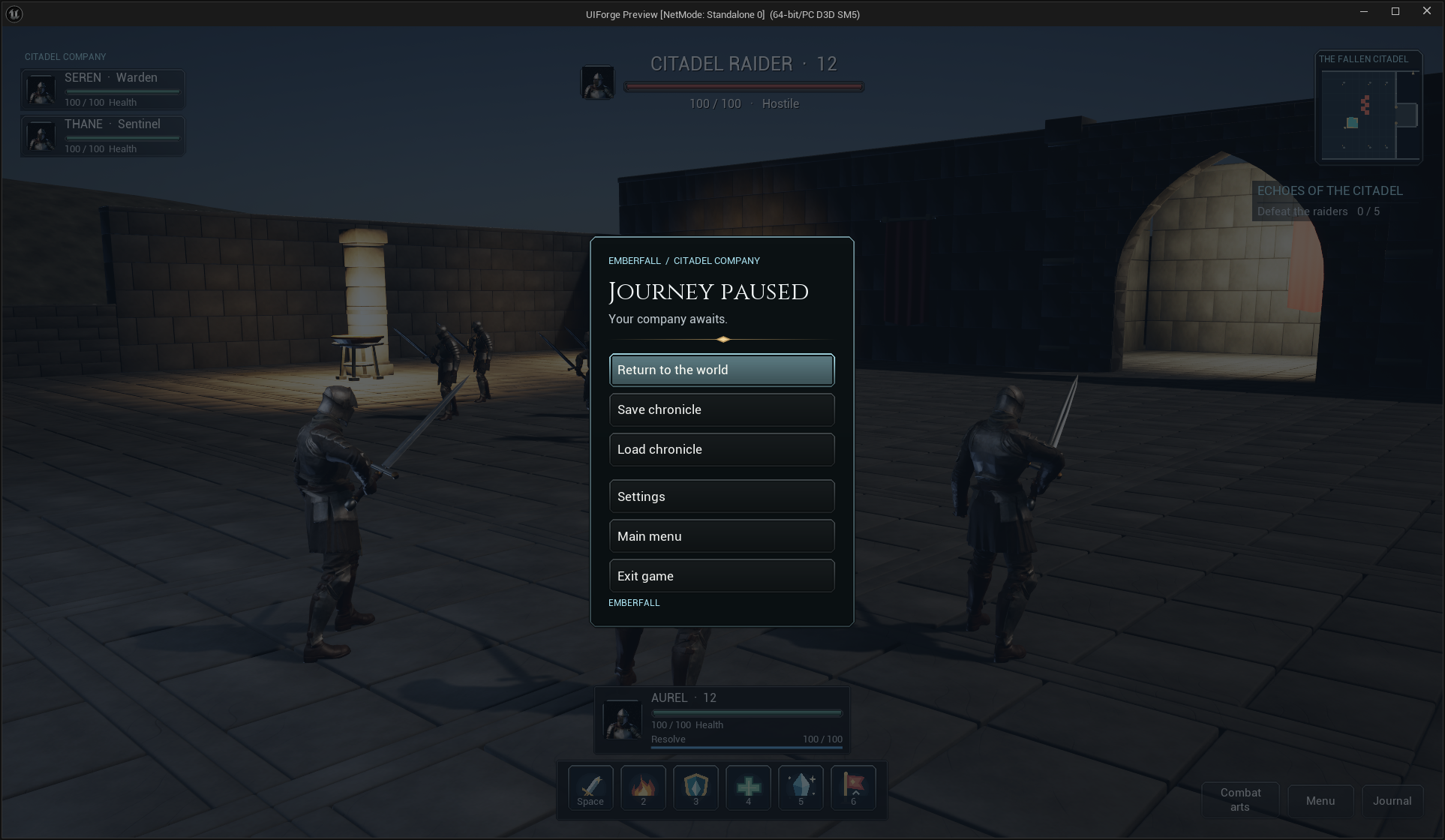
Emberfall: main menu and dialogs
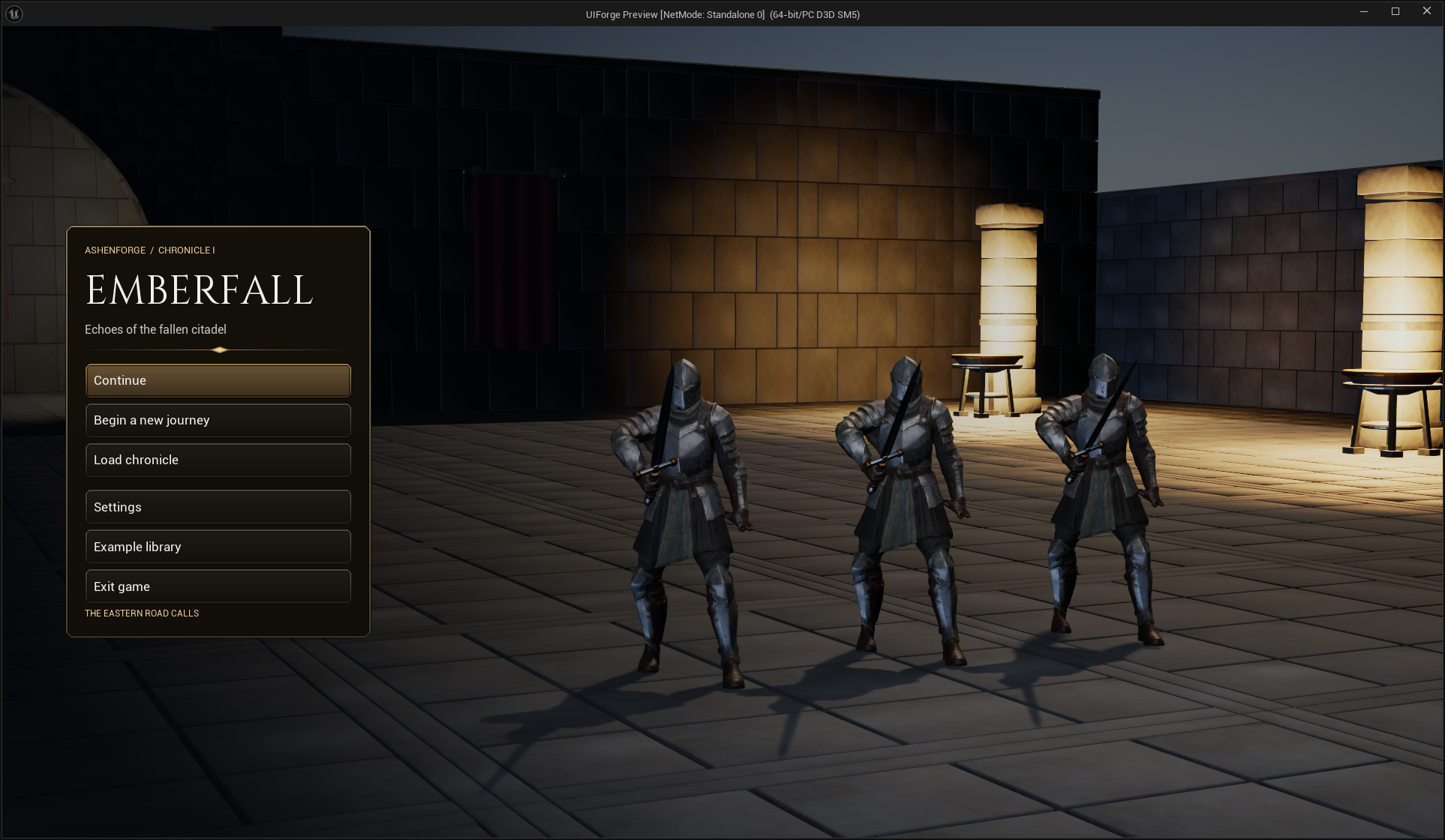
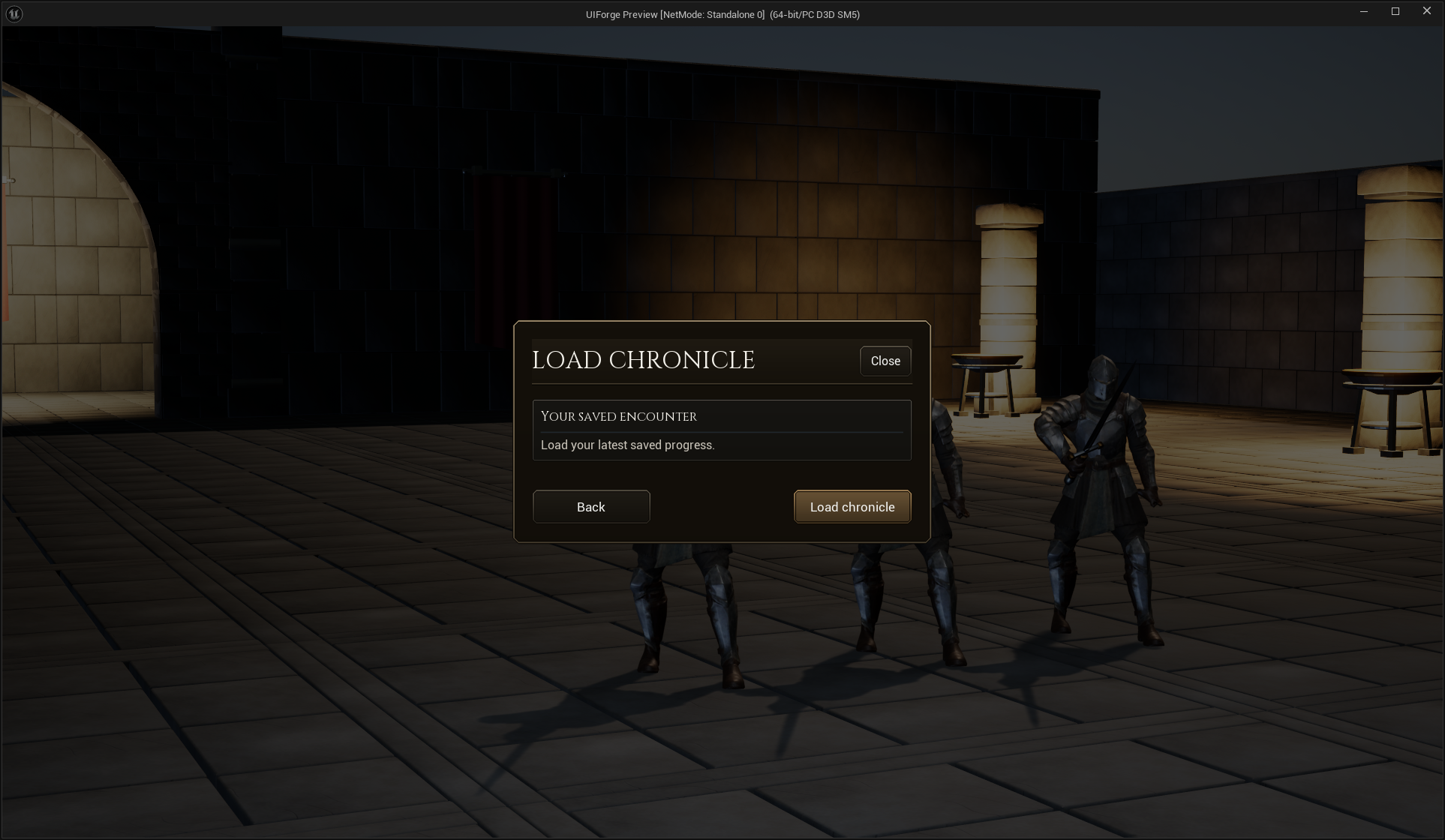
Choose Begin a new journey for a fresh encounter or Continue when a save exists. New Game preserves the saved encounter until you explicitly Save. Load, settings and confirmation use the shared screen/modal contracts.
Emberfall: third-person HUD and windows
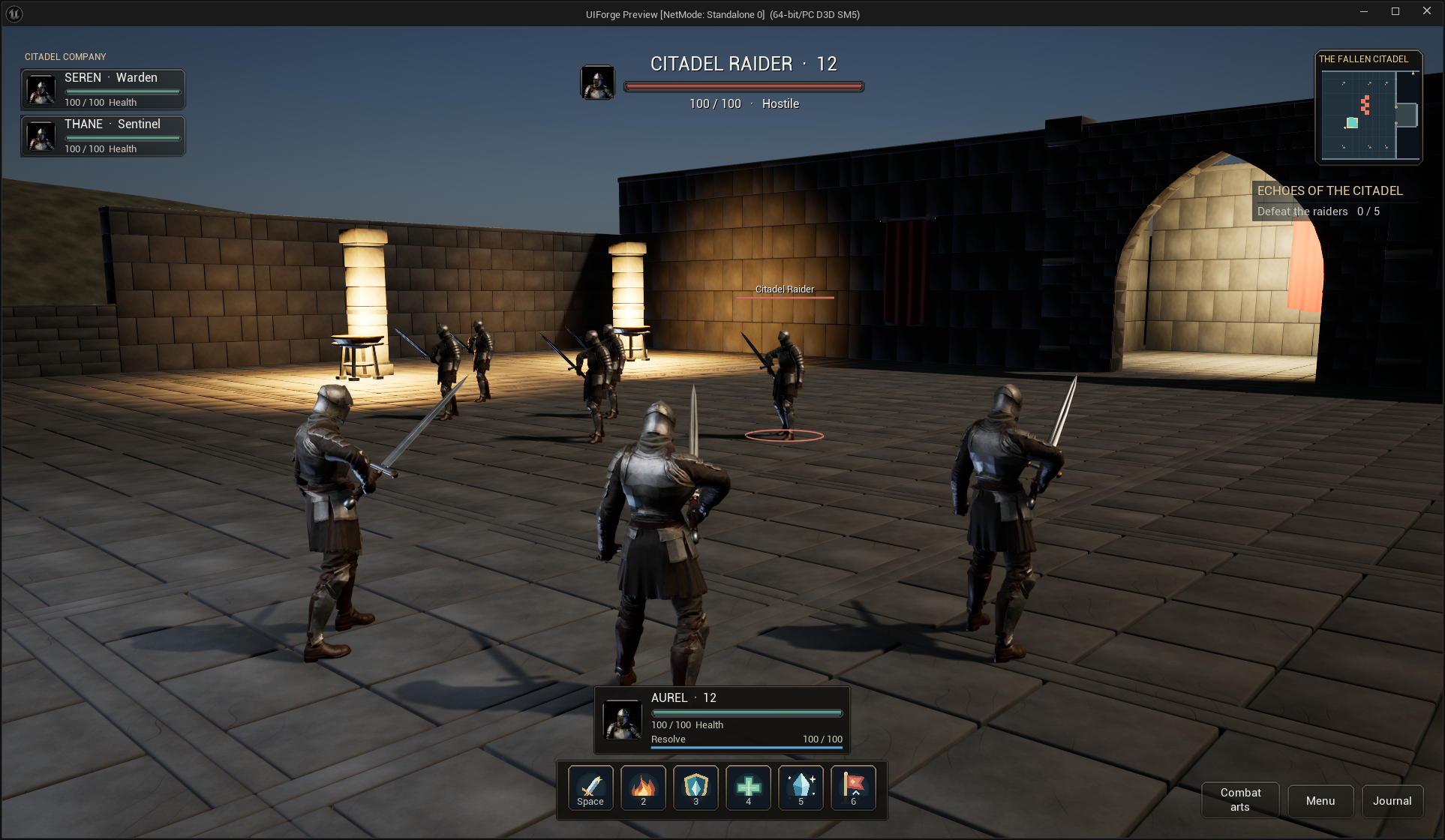
Move with the configured movement mappings, select a target and activate an action. Attack requests repeating approach/contact behavior; the other skills validate range, resource and recovery in the example backend. Prompts follow applied mappings, so your saved keys can differ from the pictures.
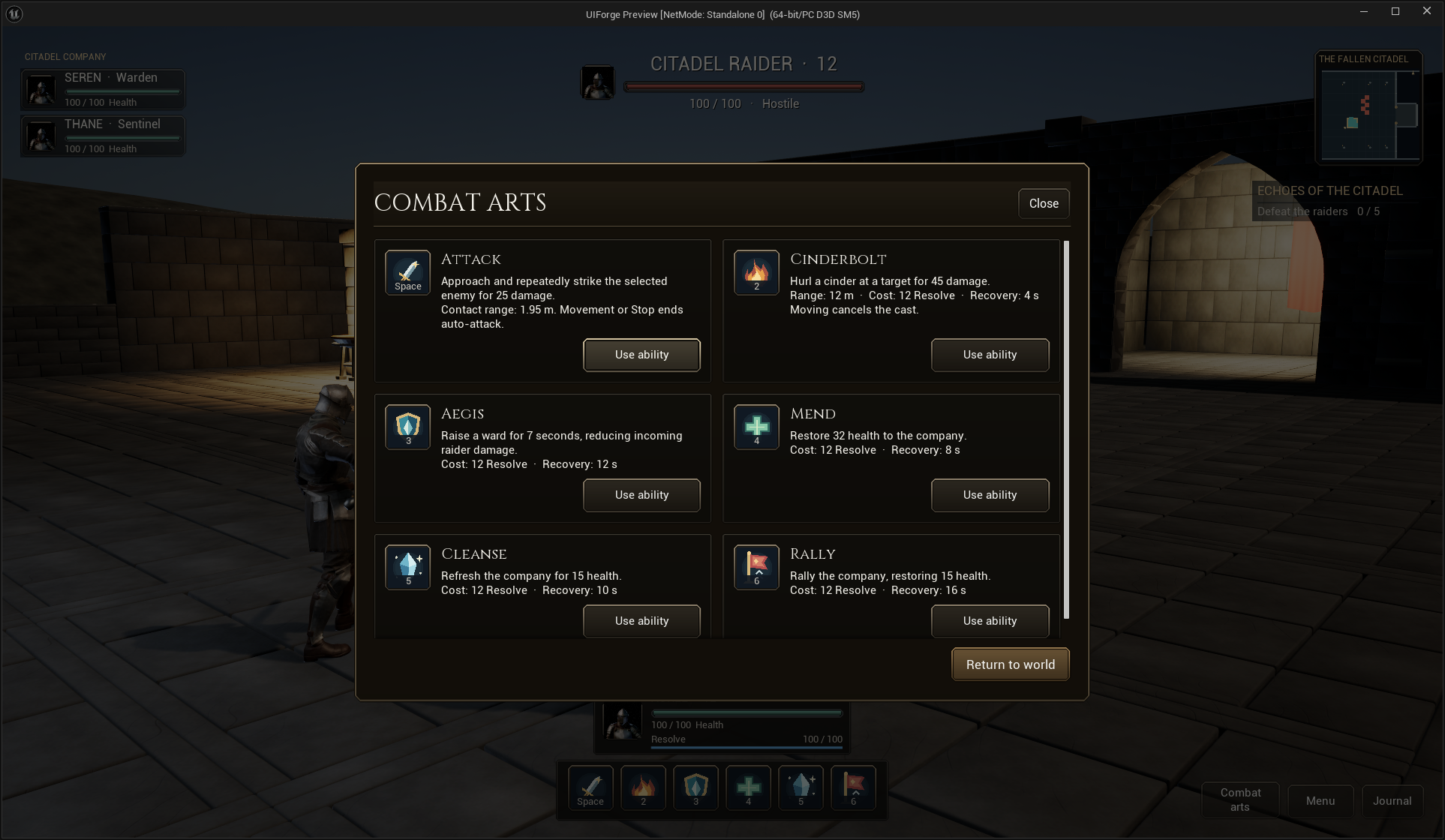
The browser activates the same actions as the bar. Center-origin cooldown tint is independent of the rules. See ability-browser authoring and visual customization.
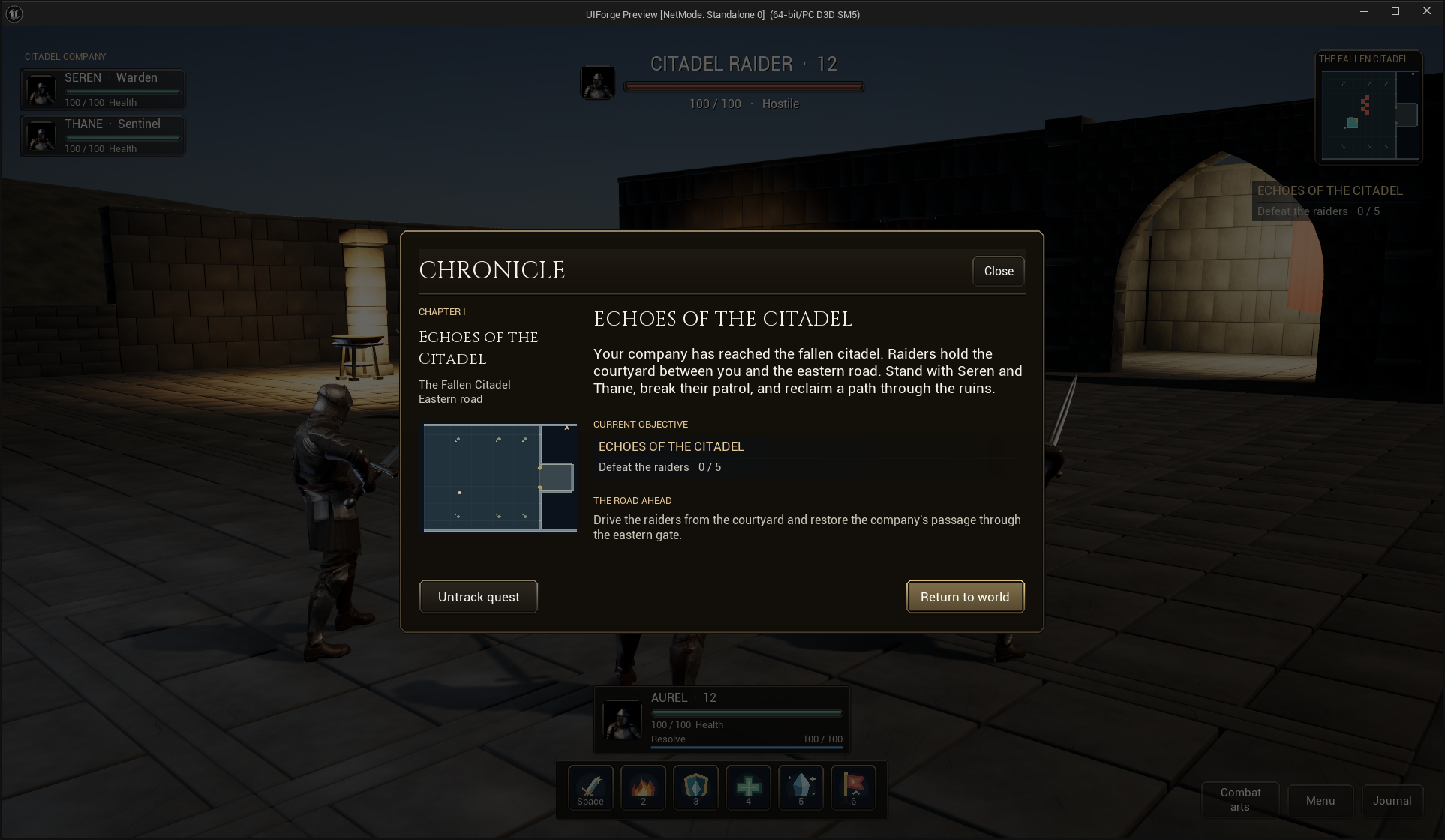
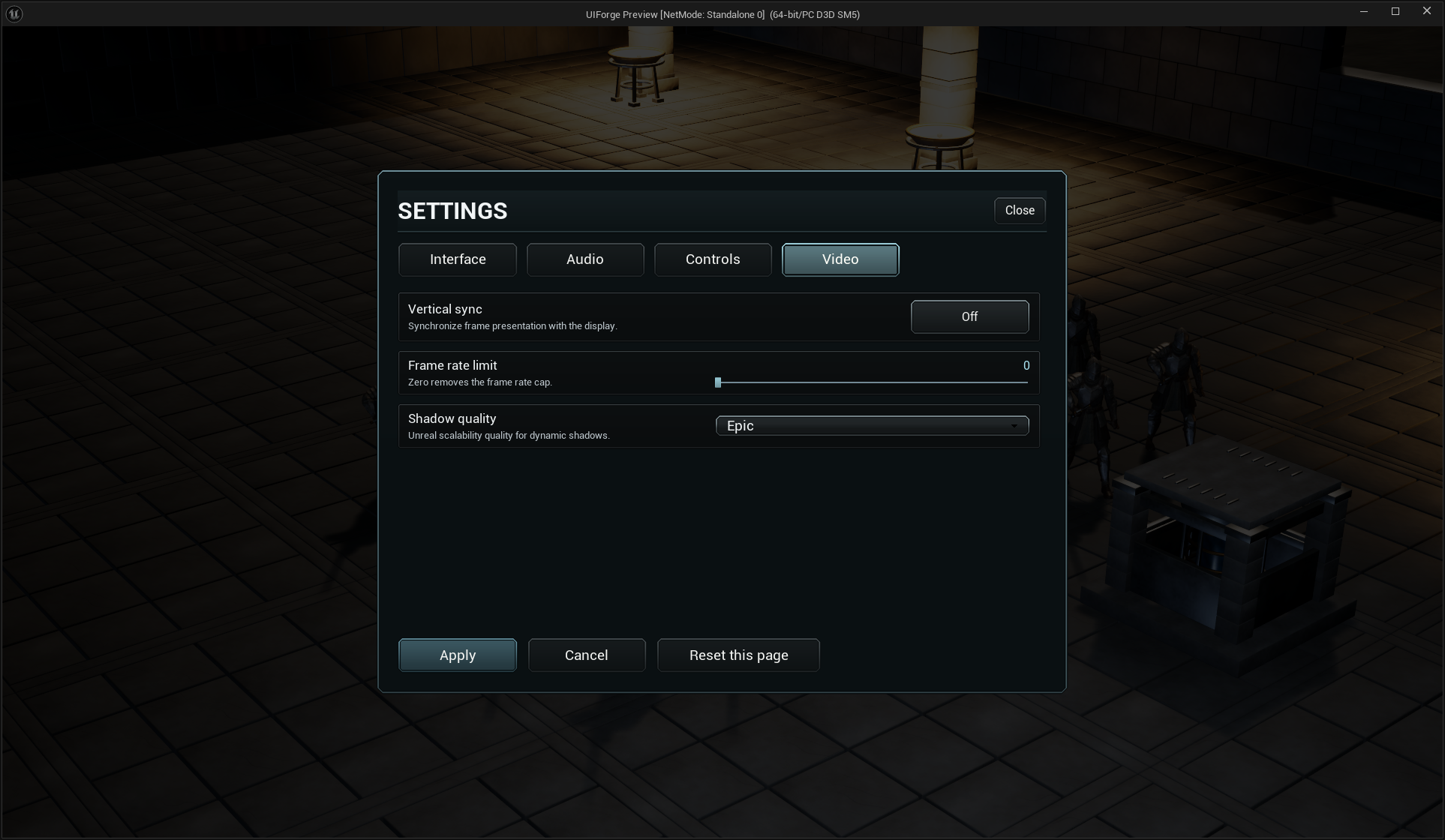
One settings system, four editable pages
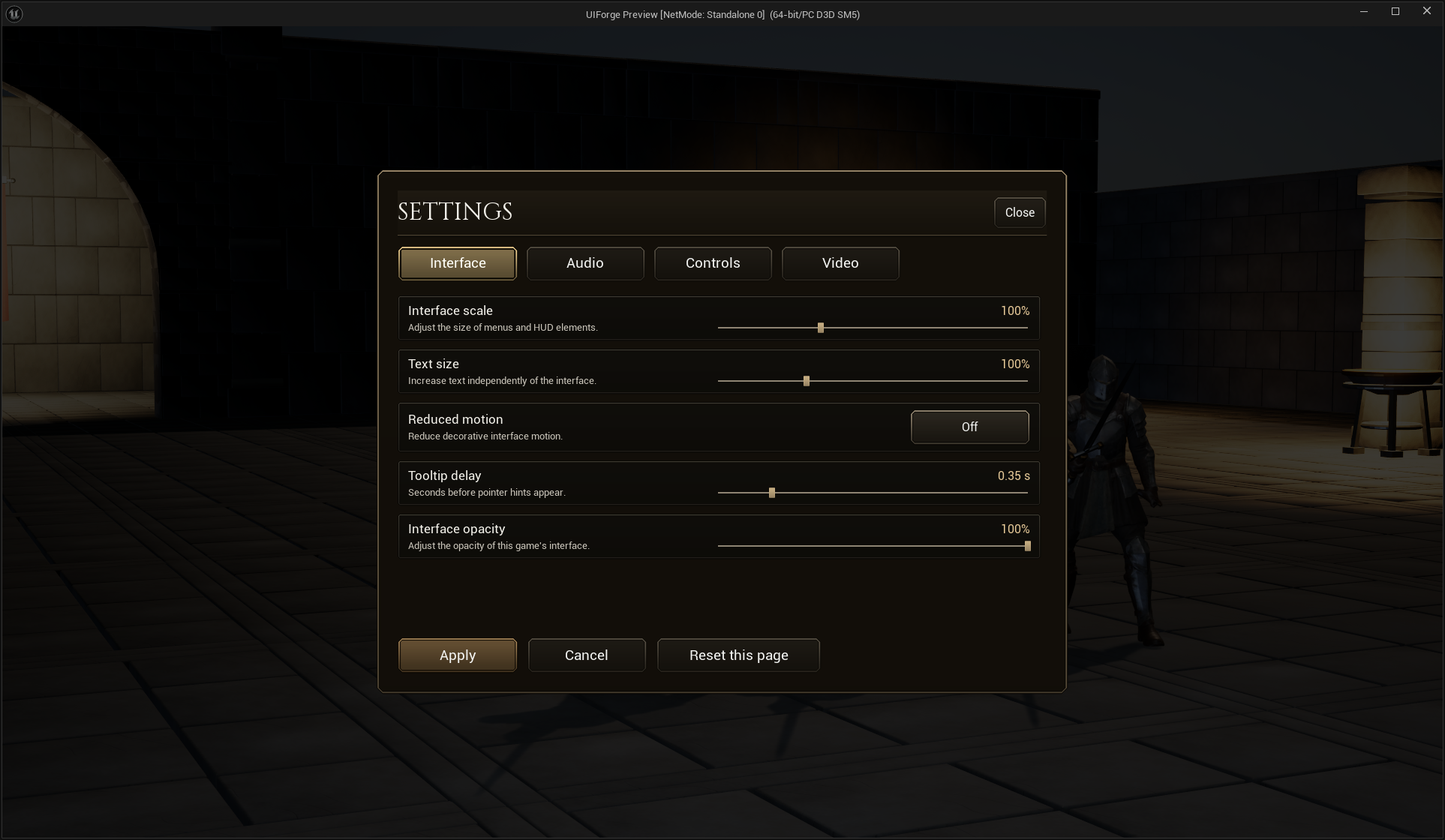
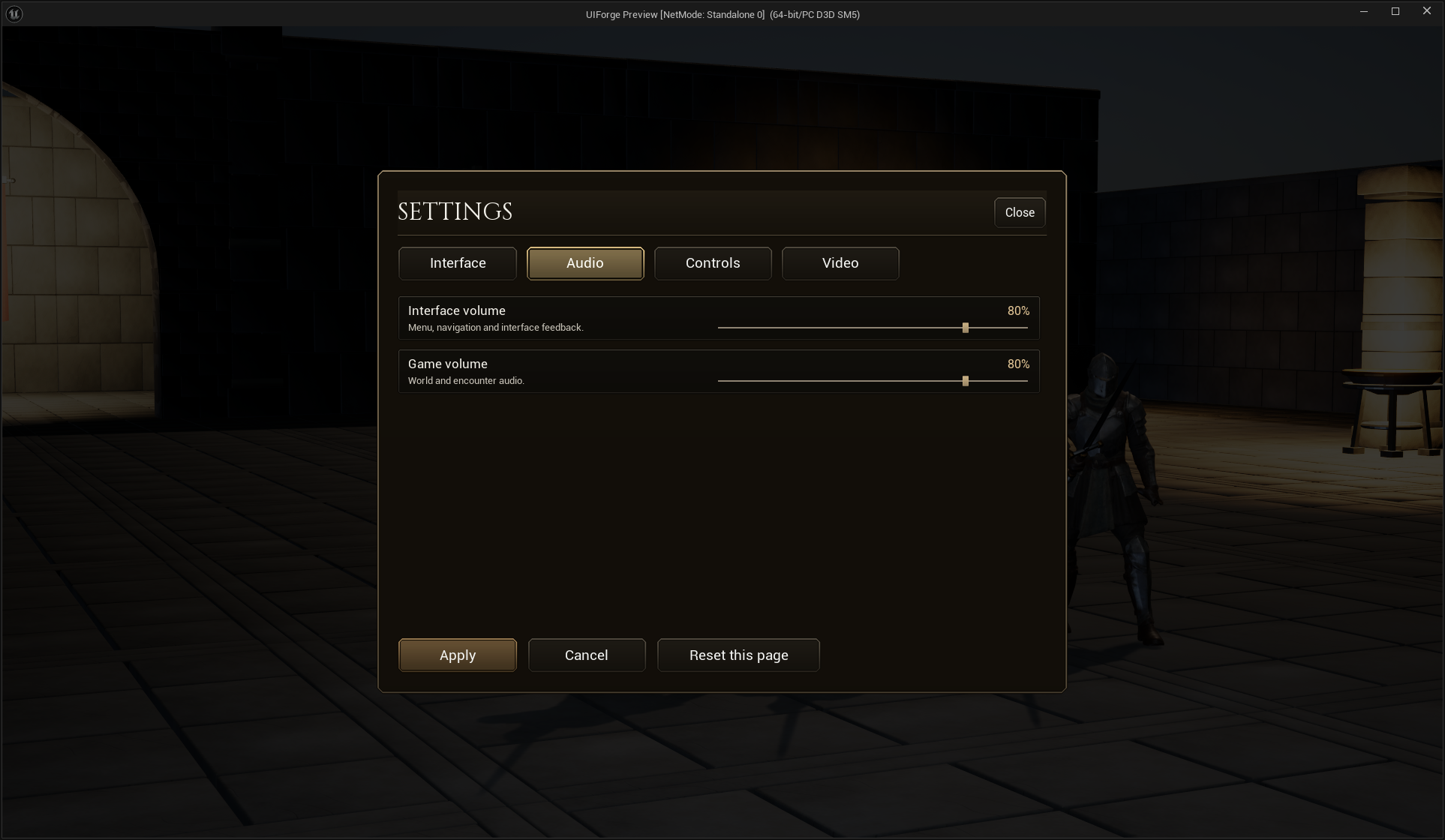
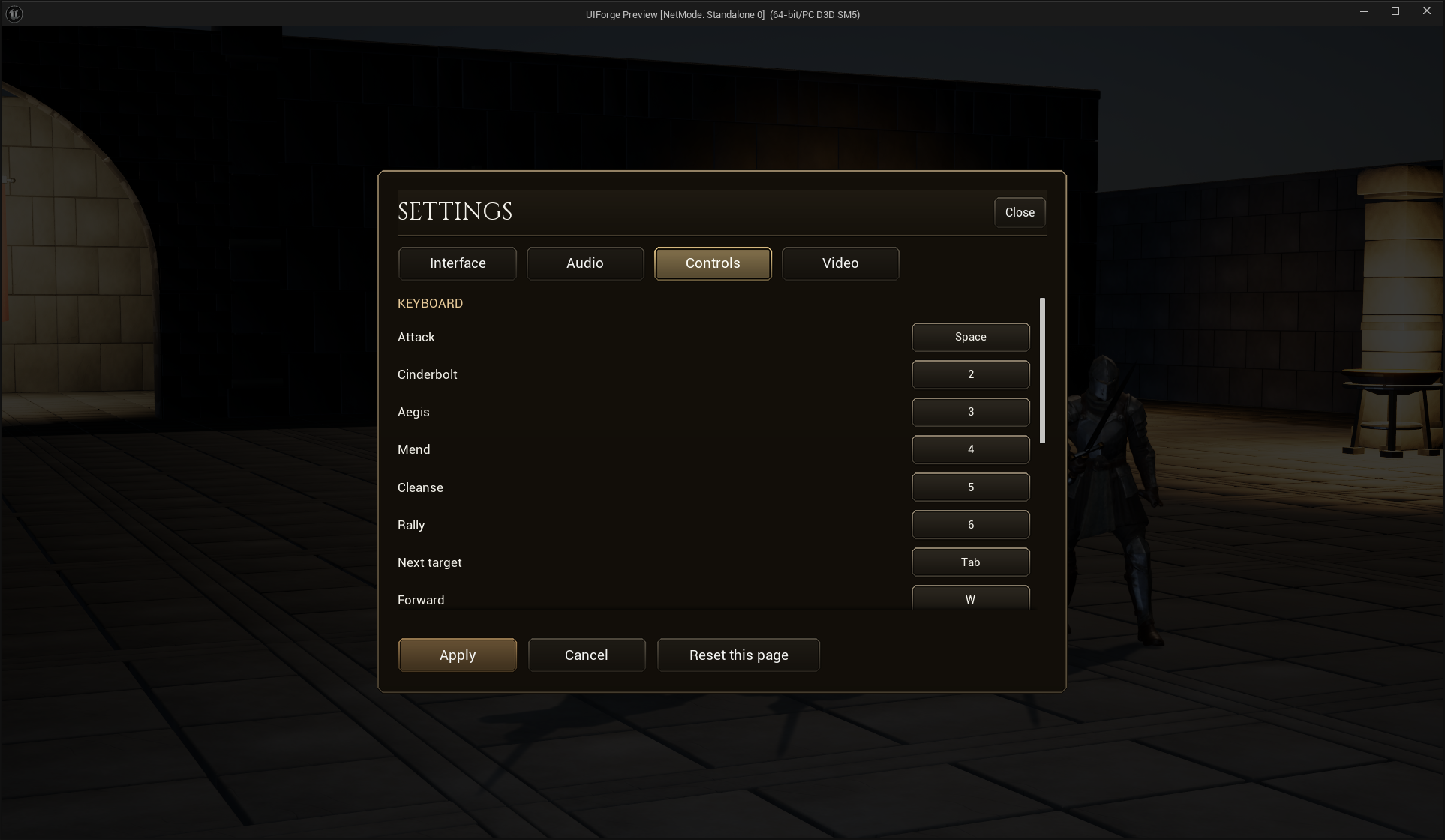
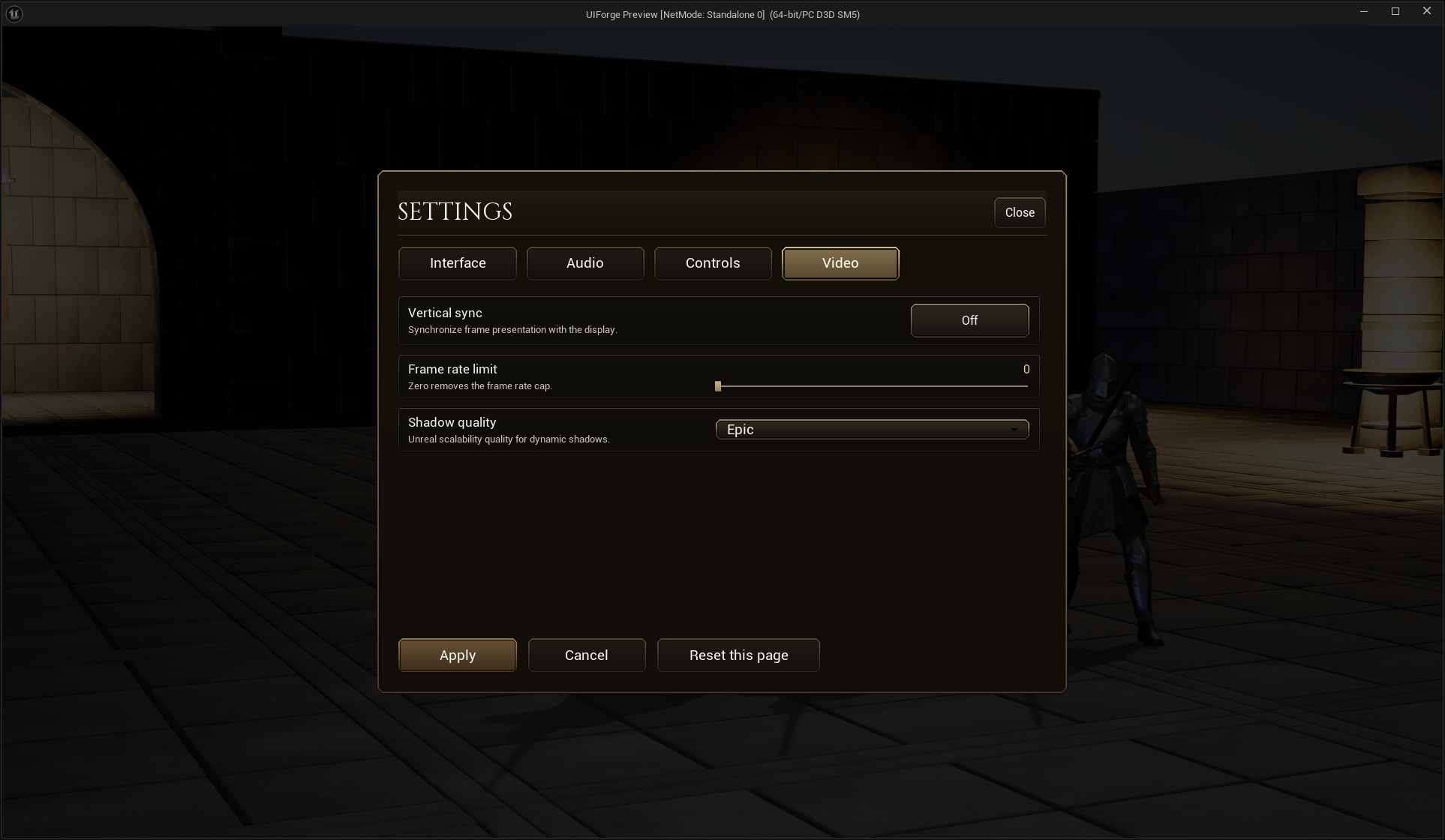
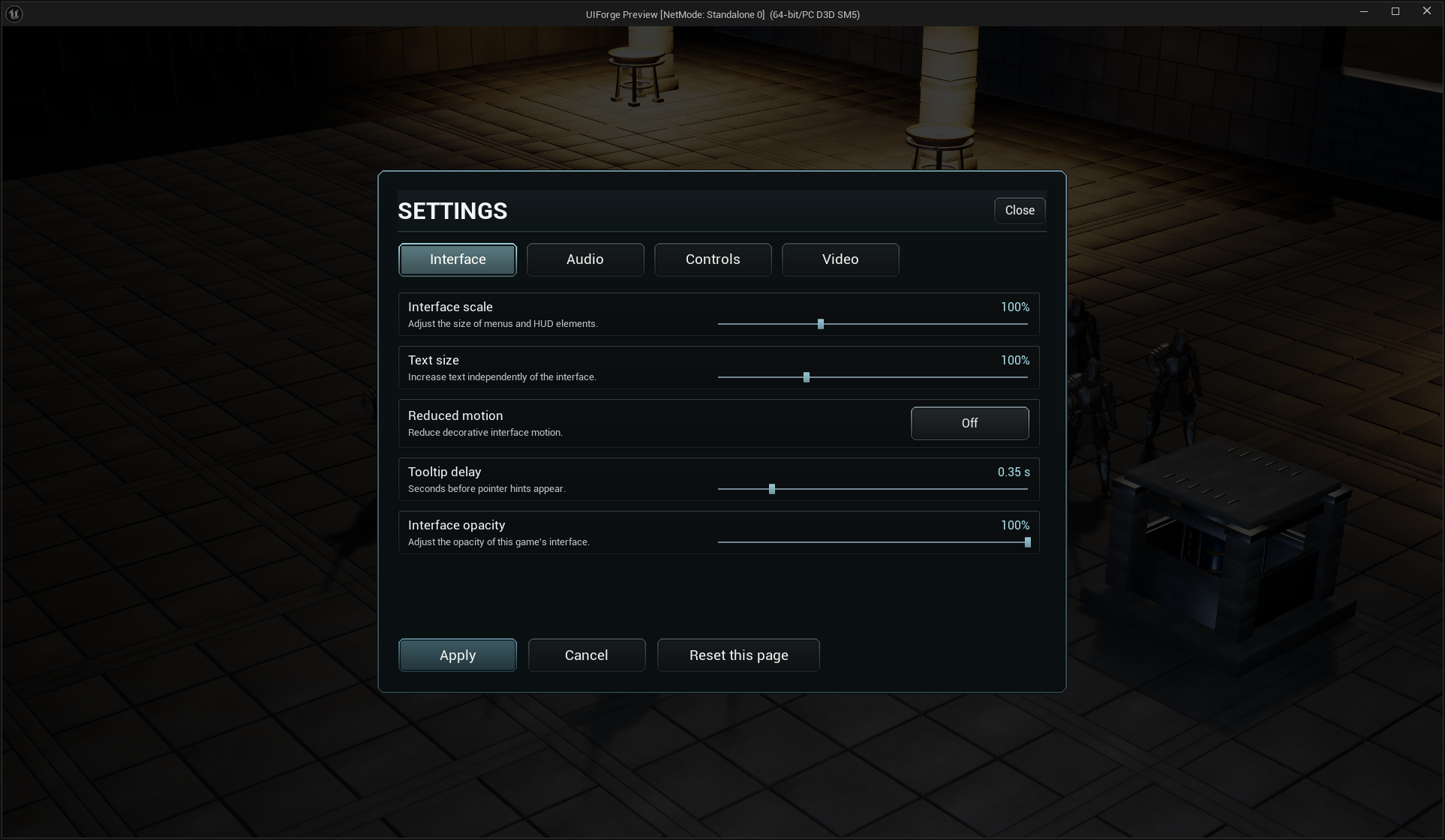
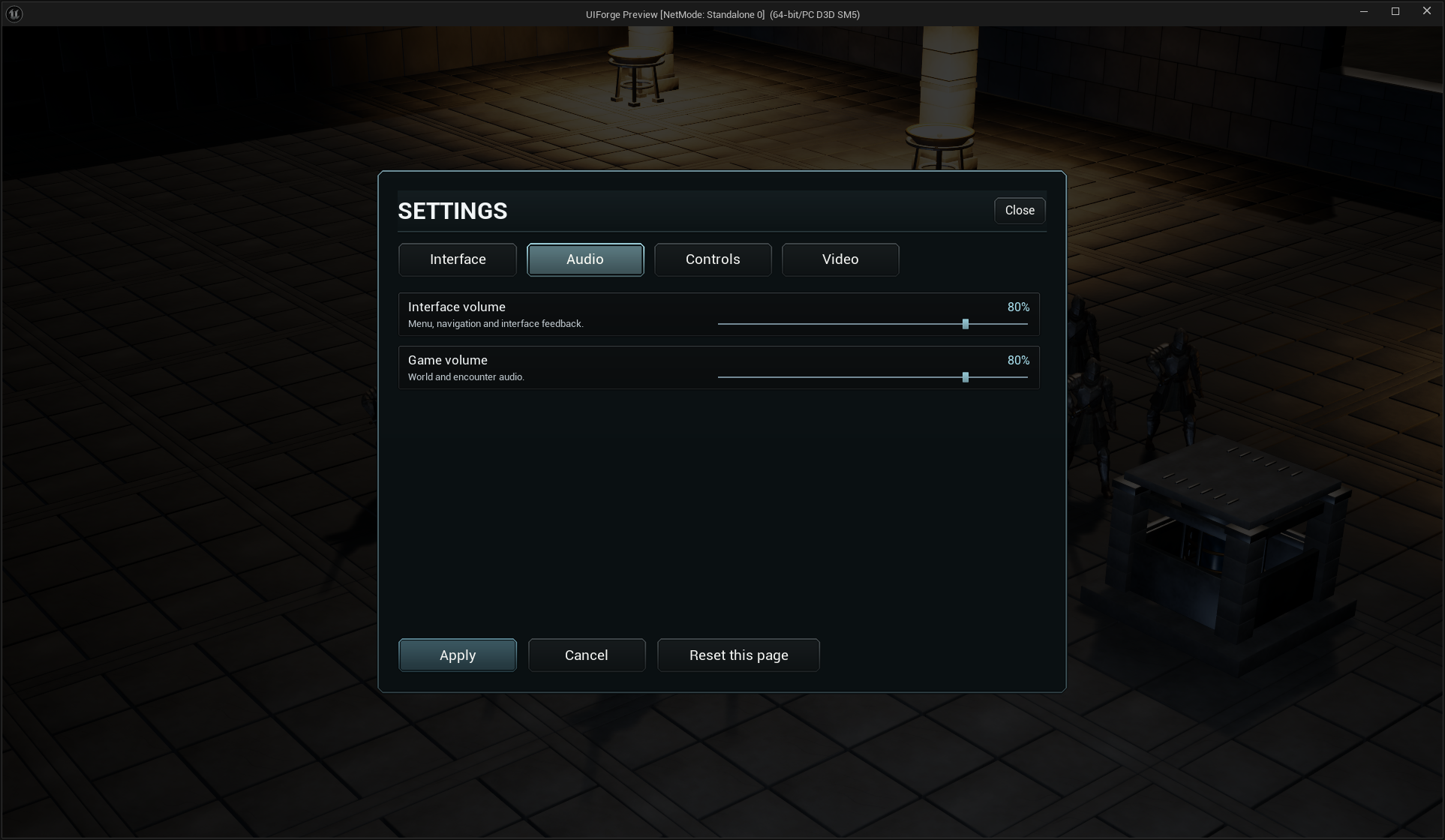
Scale/audio can preview immediately; Cancel restores prior presentation. Apply commits supported values. Remapping uses registered Enhanced Input contexts and the same footer. Build this settings menu shows its actual Designer hierarchy, definitions, binding rows and Blueprint provider.
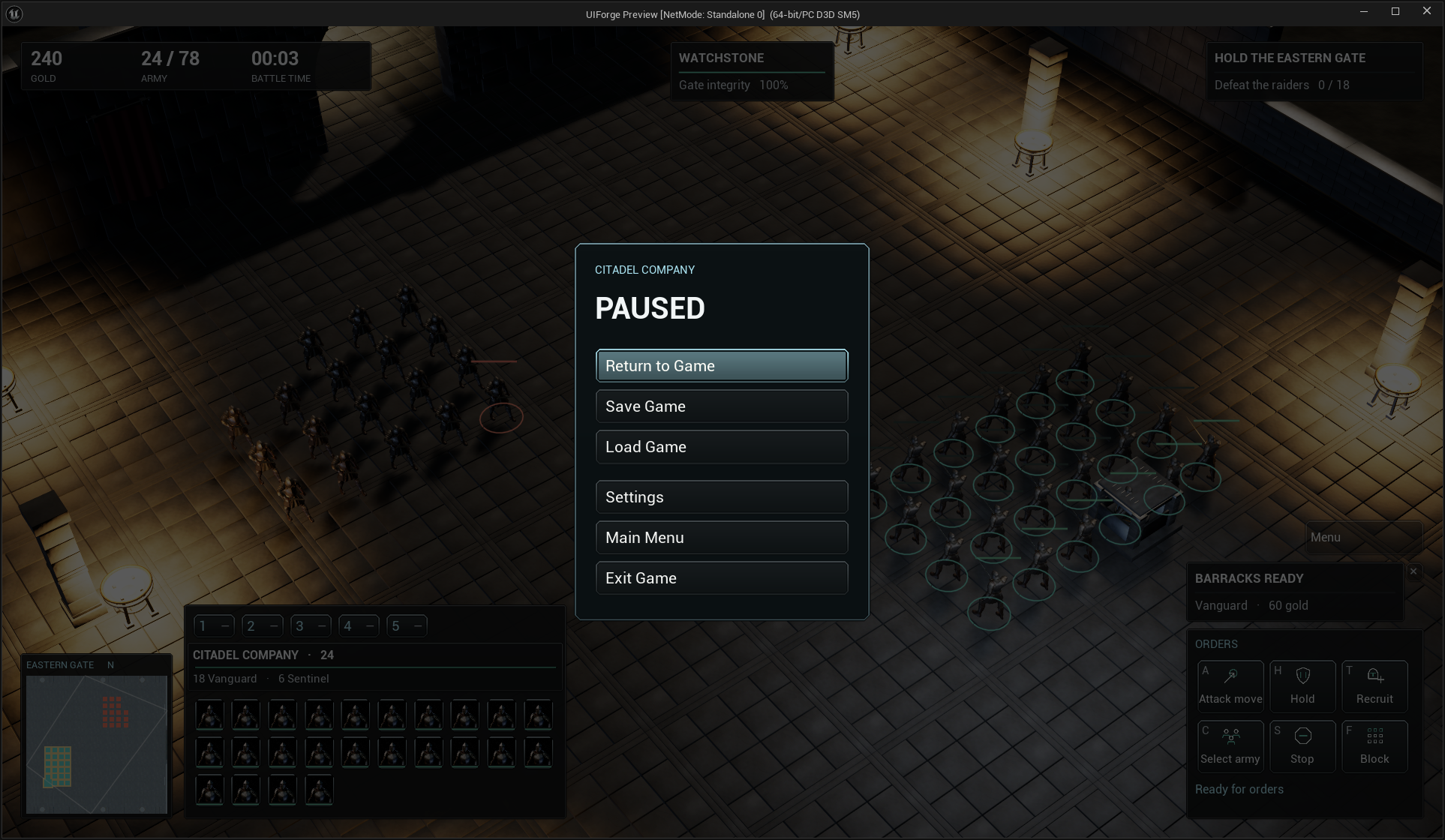
Ironfront: an army interface
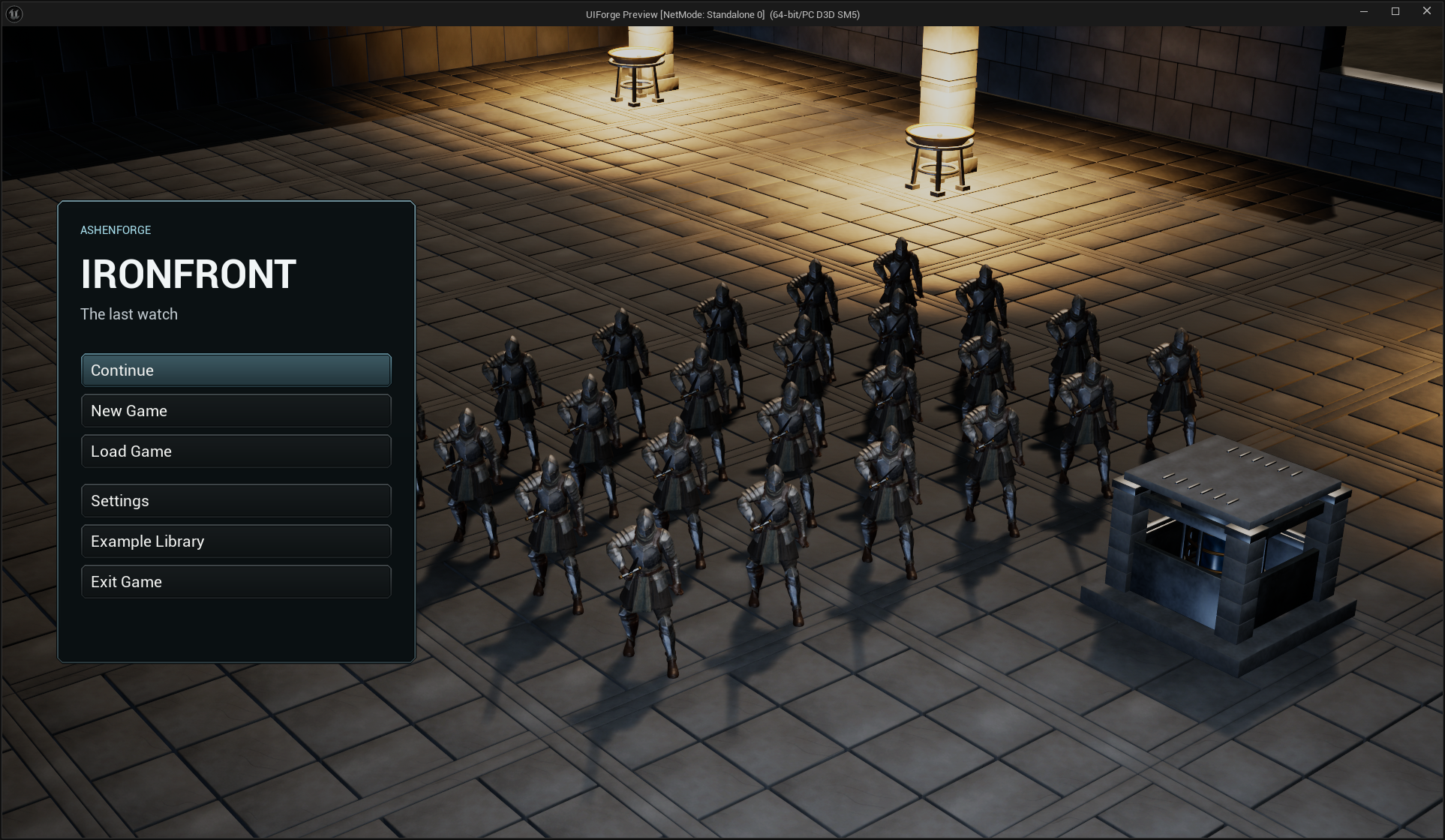
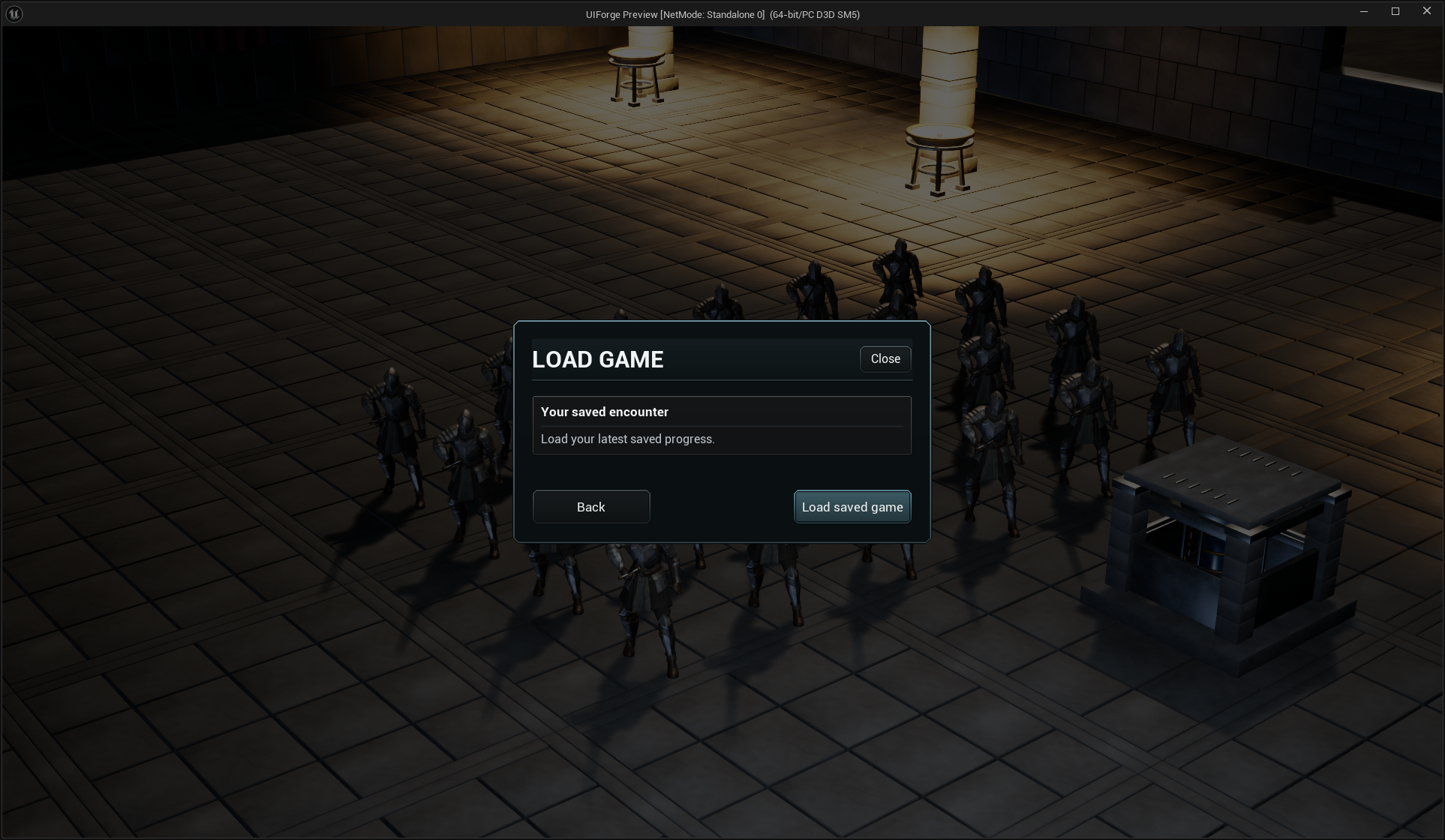
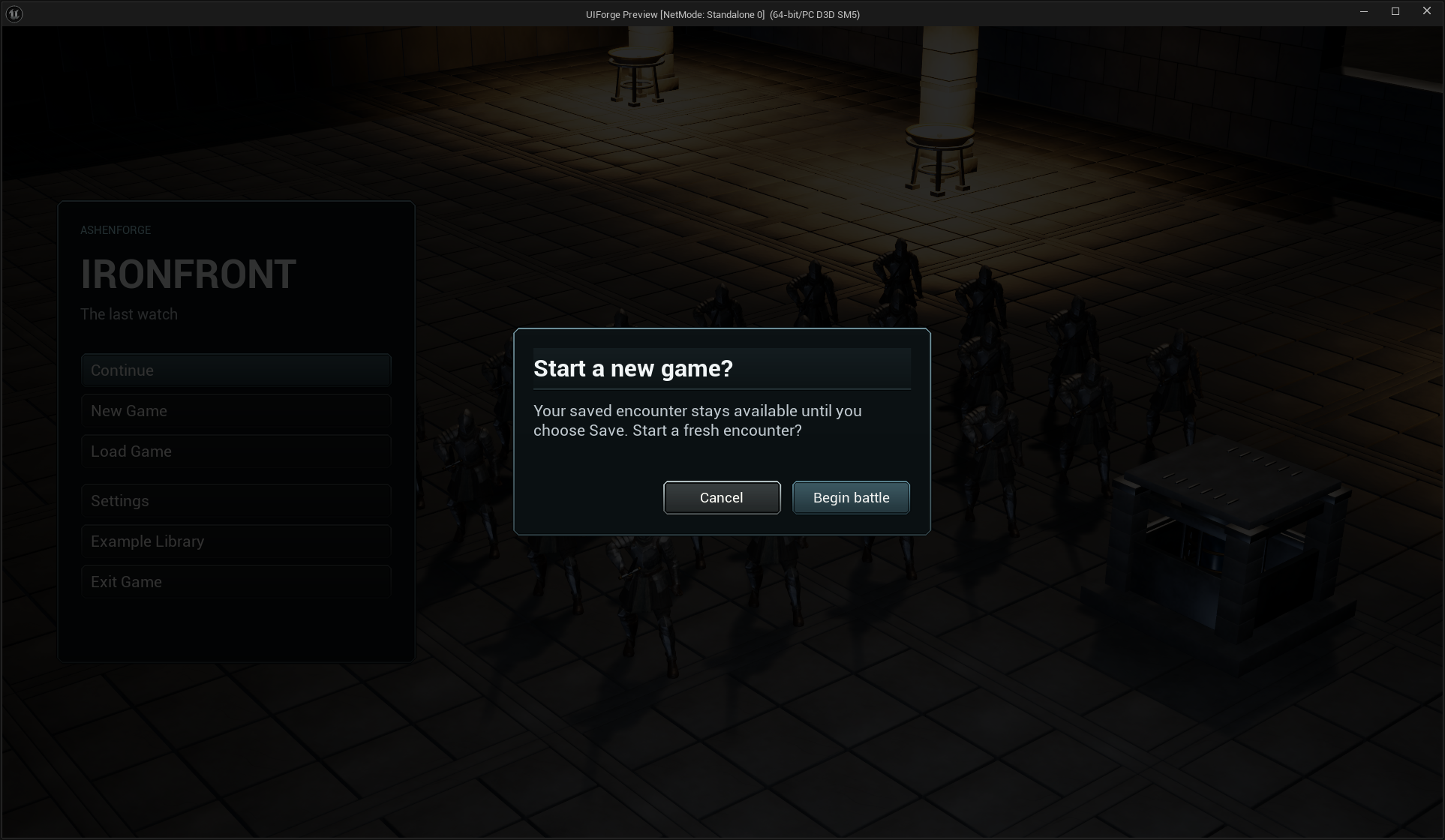
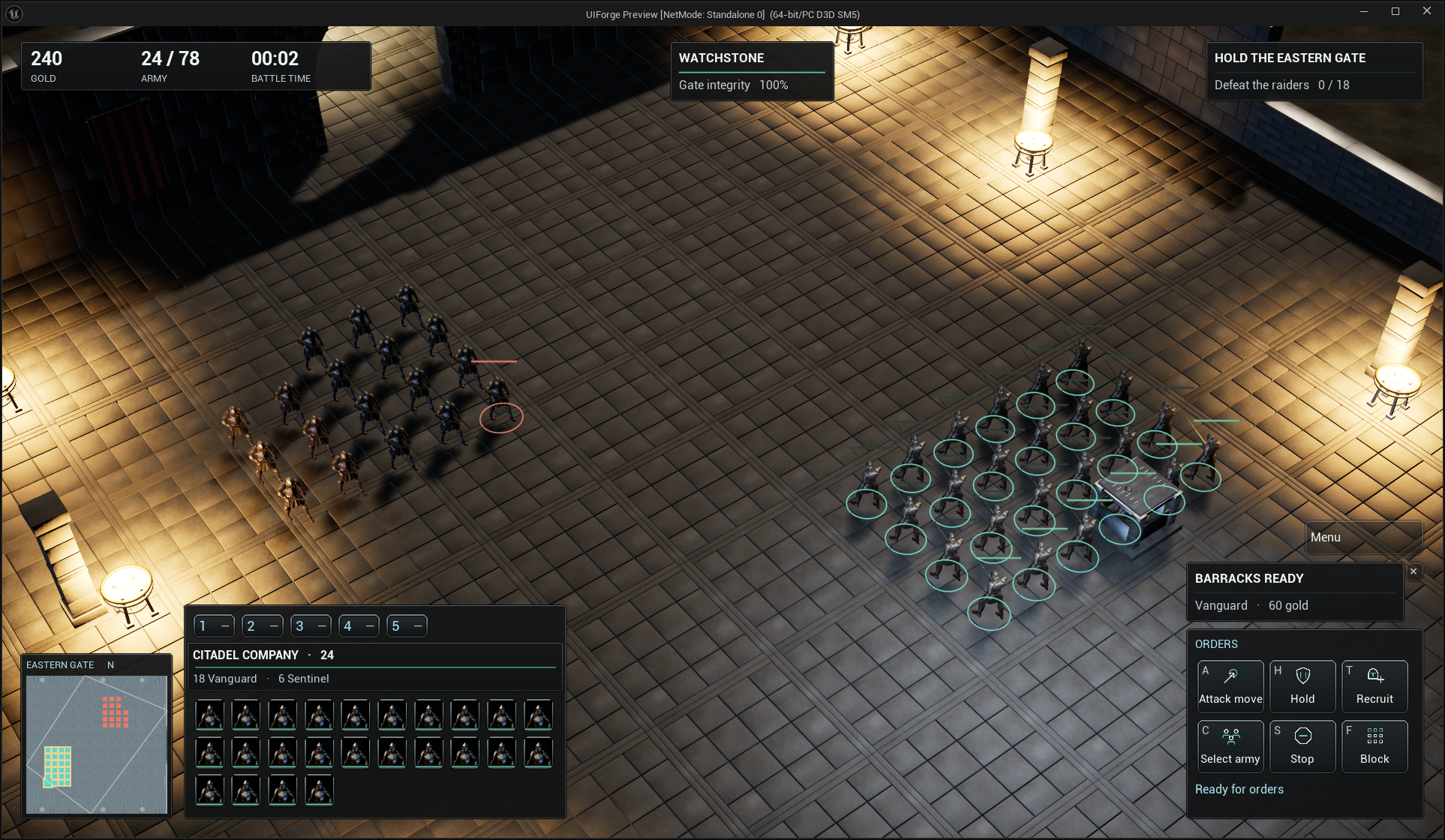
Click a unit or drag a selection rectangle, Shift-select additively, then right-click a destination. Groups, formations, queued orders, attack-move, hold/stop, recruitment and cancellation belong to the example backend. Roster/context controls observe selection changes rather than polling the full population per widget.
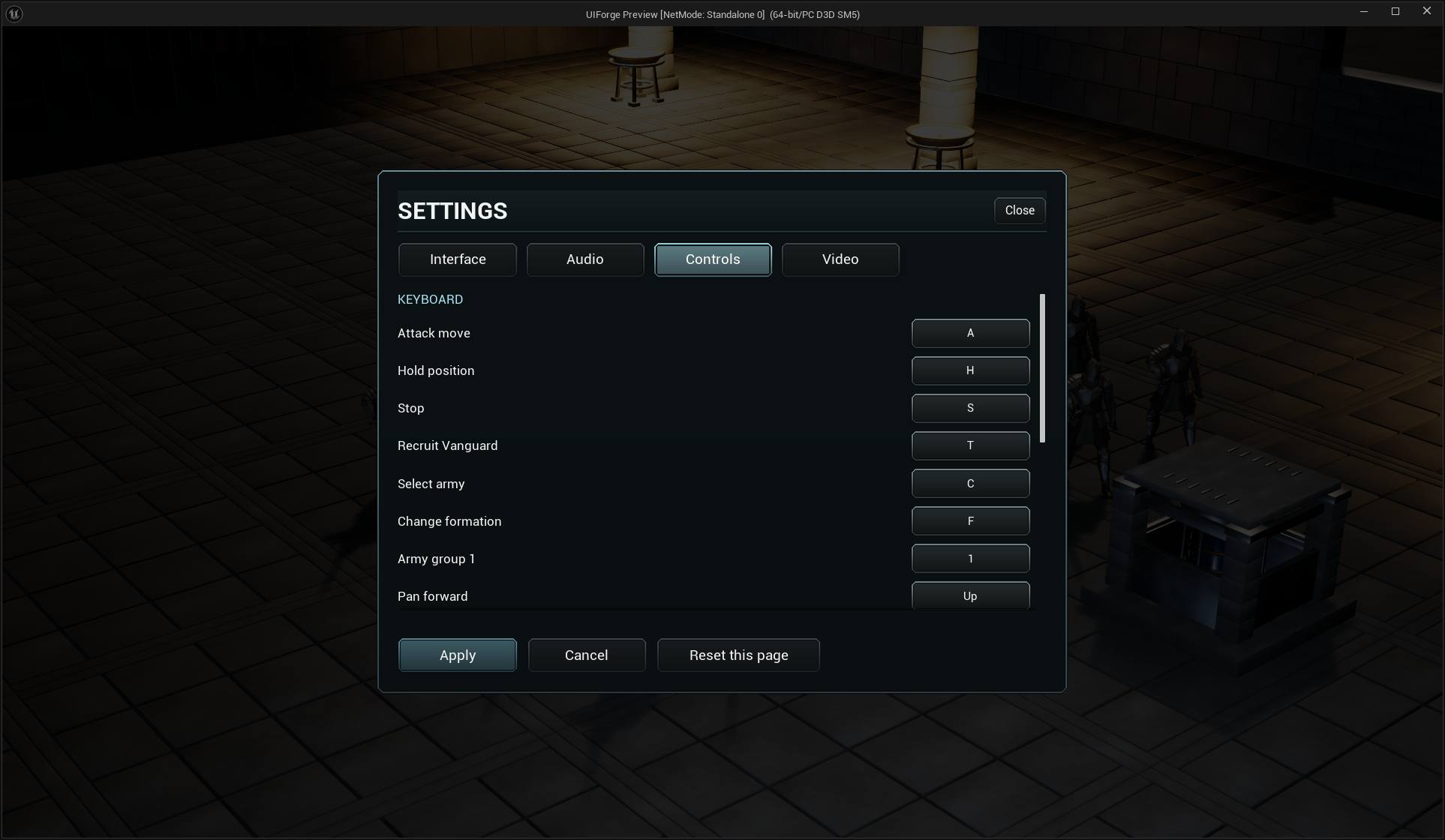
The same four-page settings screen uses the RTS theme. The game-specific difference is its registered command/camera mappings.
Build your own interface
Follow visual game integration, visual settings, then theme, button, entry and HUD customization. The complete scheme supports code/asset lookup; normal authoring does not require reading internal source.
These are original AshenForge presentations. Game Master's exclusive design is not distributed. Inventory mechanics remain outside InterfaceForge. Further visual refinement and outstanding platform/device checks are recorded separately from functional history in current status.