Appearance
Build a settings menu in Blueprint
Follow the settings tutorial with editor images: exact locations, real Designer/graph images and expected results. This page supplies the detailed contract/reference.
Verified on UE 5.8.3 / Win64 within the recorded functional passes. The saved four-tab menu runs from main and pause menus, including a separately installed Blueprint-only host. Shared Cancel/Apply, remapping-aware prompts, new-game-instance persistence, validation and a saved Blueprint custom provider have runtime evidence. The older Development package loads its themed menu and previews scaling; Escape cancels its draft. That package predates the latest presentation and Designer-preview corrections. Physical-controller verification remains deferred.
Current RPG/RTS presentation
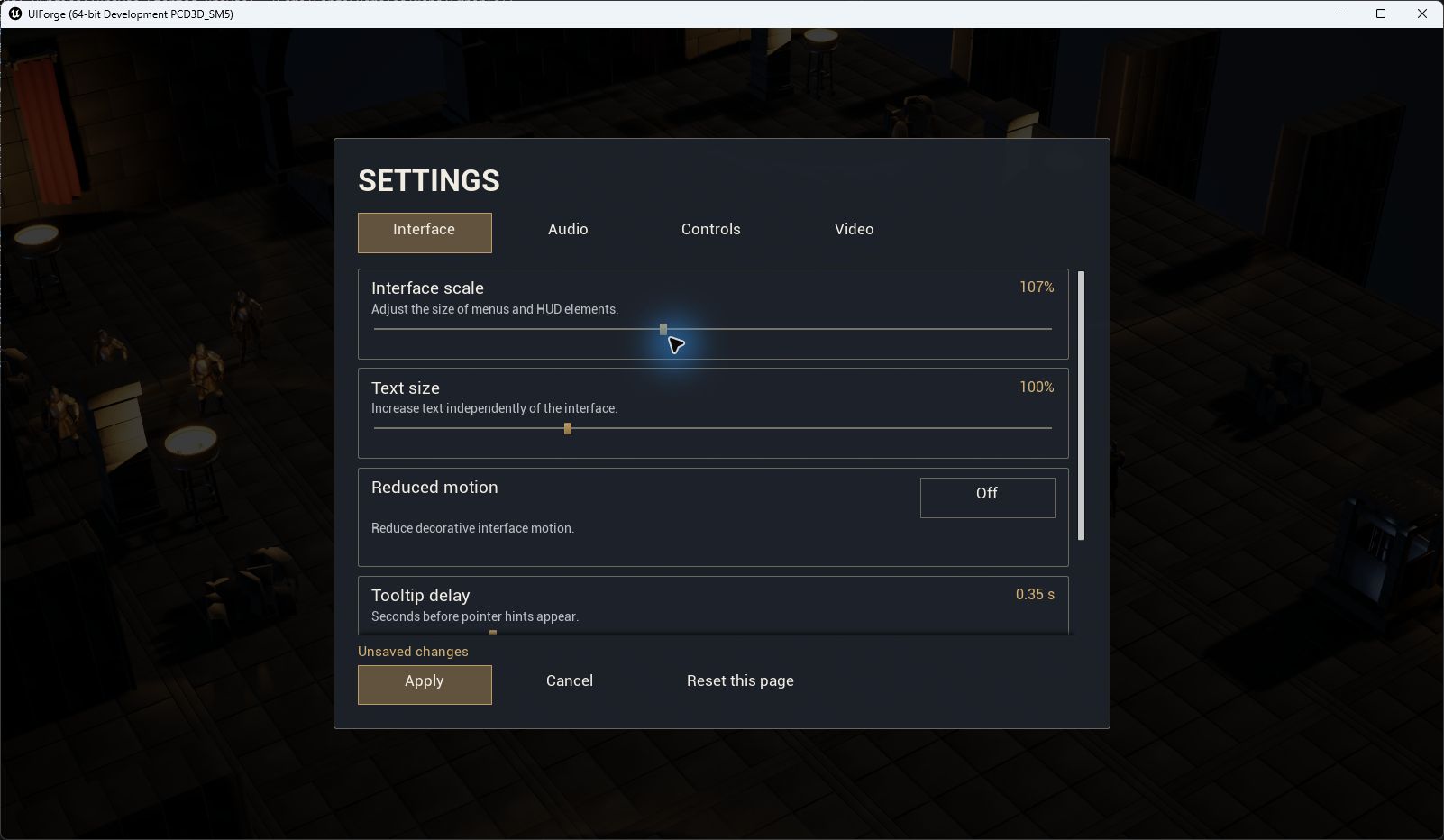
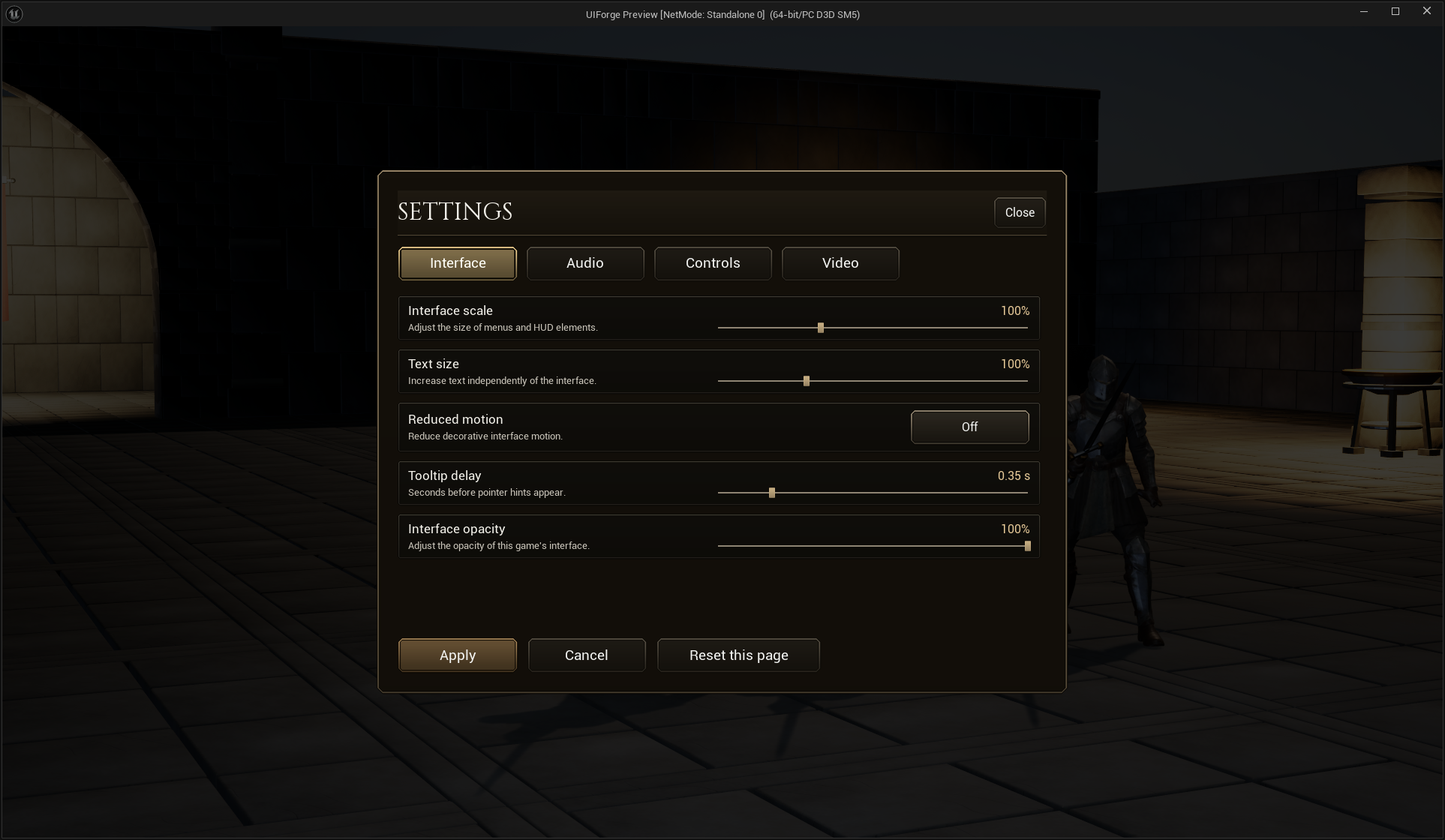
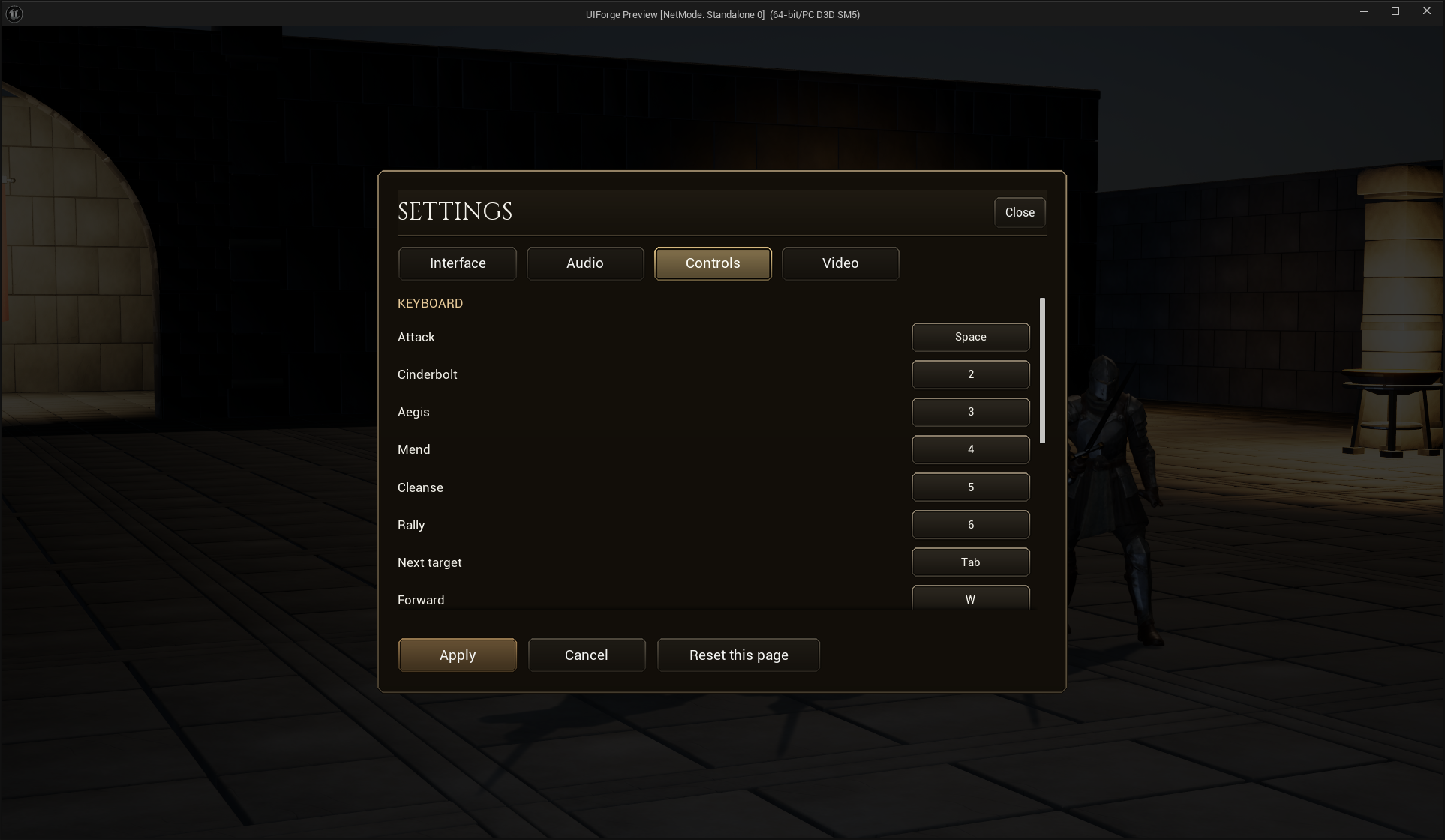
Both examples use the same public IFSettingsMenu/IFSettingRow session contracts. The current replaceable WBP_IFRPGSettingRow is a normal Designer Blueprint with compact label/help and value/control columns, a themed On/Off button, and validation text that collapses when empty. Interface, Audio, Controls and Video retain one shared Apply/Cancel/defaults session. Binding rows similarly reserve space for status only when needed. Their labels and page order are editable assets, not a game-specific C++ menu.
Author the appearance
- Create a Widget Blueprint with parent IFSettingsMenu. Add your background, title, tabs, content and footer in UMG Designer; the parent does not construct a widget tree.
- Add a Widget Switcher named
SettingsPages. Put one Scroll Box/page layout inside for each category. In Class Defaults, set Page Ids in the same order, such asInterface,Audio,Controls,Video. - Place IFSettingsTabButton widgets, set each Label and Page Index, and style them like other IFButton widgets. The host connects the tab behavior automatically. A custom tab implementation can instead call Select Settings Page. On Settings Page Changed exposes the selected index/ID for Blueprint animation or focus rules.
- Place IFButton controls named
ApplyChoice,CancelChoiceandDefaultsChoice. Name a Text BlockSettingsStatus. DefaultsChoice means Reset this page, not the whole menu; label it accordingly. For an explicit global reset, call Restore All Defaults on a separately labelled control. - Set Initial Focus Name to your first tab's Designer name (for the example,
Tab0) and Fallback Focus Name toCancelChoice. Open this class through the existing Push Screen node on the Menu layer from main menu or pause. Back uses the same cancel path.
The included editable example is /Game/ForgeExamples/UI/Settings/WBP_IFSettingsMenu. The two reusable row assets are WBP_IFSettingRow and WBP_IFSettingRowCompact in that folder. They are saved Designer trees using public plugin widgets; the example editor authoring utility is not a runtime dependency.
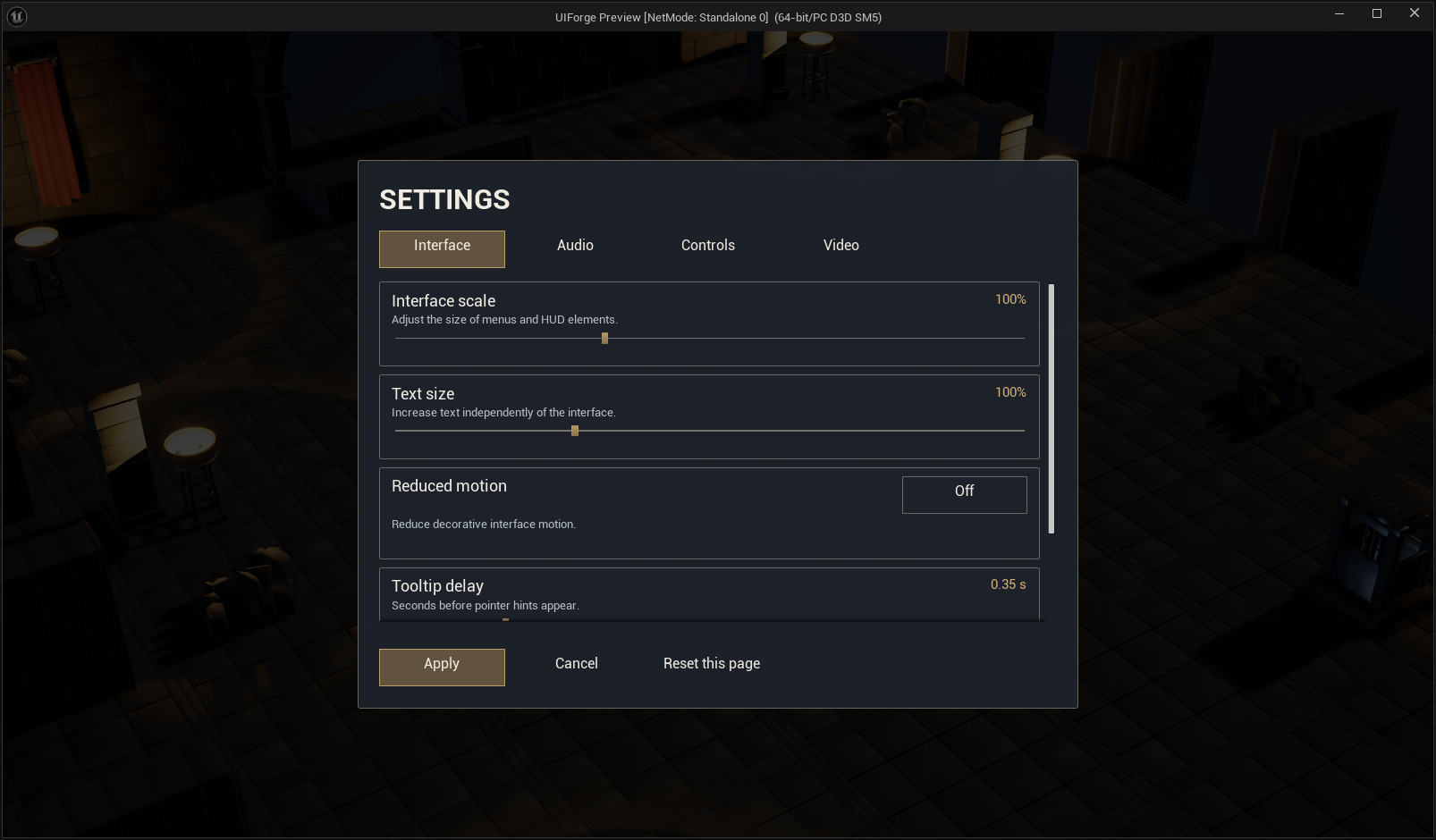
Define and place a setting
Create a Data Asset of class IFSettingDefinition. Assign a stable Setting Id, matching Page Id, localized Label/Help, Binding, Control, Minimum/Maximum, Step and Default Value. Choice definitions also need localized Options, each with its stable numeric value. Toggle definitions use range zero to one and exact values zero/one. Binding ranges cannot exceed the underlying engine setting's supported range.
Create a Widget Blueprint with parent IFSettingRow. Add only the controls your presentation needs:
| Optional Designer name | Type | Behavior |
|---|---|---|
| LabelText / HelpText / ValueText / StatusText | Text Block or IFText | Definition label/help, current numeric value and validation feedback |
| ValueSlider | Slider | Range/step and reversible draft edits |
| ValueToggle | Check Box | Boolean draft value |
| ValueToggleButton | IFButton | Optional themed On/Off button with normal CommonUI focus and touch-sized hit area; takes priority over ValueToggle |
| ValueChoice | Combo Box String | Options mapped back to stable values |
Place the row on a page and choose its Definition. The menu discovers definitions and initializes row sessions across all pages; switching tabs retains drafts. For a custom control, implement On Setting Refreshed to display its value and call Submit Setting Value to edit it. Do not duplicate engine setters in each row. On Setting Submitted reports success or a validation reason. Initialization/unsubscription belongs to the row lifecycle.
Display Multiplier, Value Suffix and Fractional Digits change formatting without changing engine storage: e.g. a stored audio value of 0.8 can display as 80%. Keep numeric text unwrapped and give its column enough width for the longest localized value.
Builtin bindings currently use the existing UI preferences/audio mix service and Unreal GameUserSettings: UI/text scale, interface/game volume, tooltip delay, reduced motion, VSync, frame limit, normalized resolution scale, shadow/view-distance quality. Video values remain staged until Apply; current builtin rows do not change display resolution or window mode. Those changes require Unreal's confirm/revert flow rather than calling Apply Resolution Settings from a slider.
Controls share the same edit session
Enable Include Input Bindings on the menu. Add IFBindingEntry Blueprint rows to the Controls page, choosing Mapping Name, input Family and label for mappings already registered through Enhanced Input. Do not embed a separate IFRemappingScreen with its own Apply button: the parent owns a single preference/remapping session. Existing IFKeySelector behavior captures keys and uses the project's CommonInput glyph data.
Set Binding Page Id to the relevant page. Page defaults reset displayed binding rows when that page is selected. Apply commits staged keys together with other settings; Cancel discards them. Reserved keys and conflicts still use the existing remapping service. Missing mapping/context registration is an error to fix in game setup, not a reason to invent an independent key store.
Add a project-specific provider
The example's Interface opacity row uses WBP_IFSettingRowCompact, while routine rows use WBP_IFSettingRow. Both inherit IFSettingRow and share the same session contract. The independent host runs this replacement and its custom provider. Replace a row in Designer, keep its Definition, then move pages and update Page Ids/Tab Page Index together; neither change requires plugin C++.
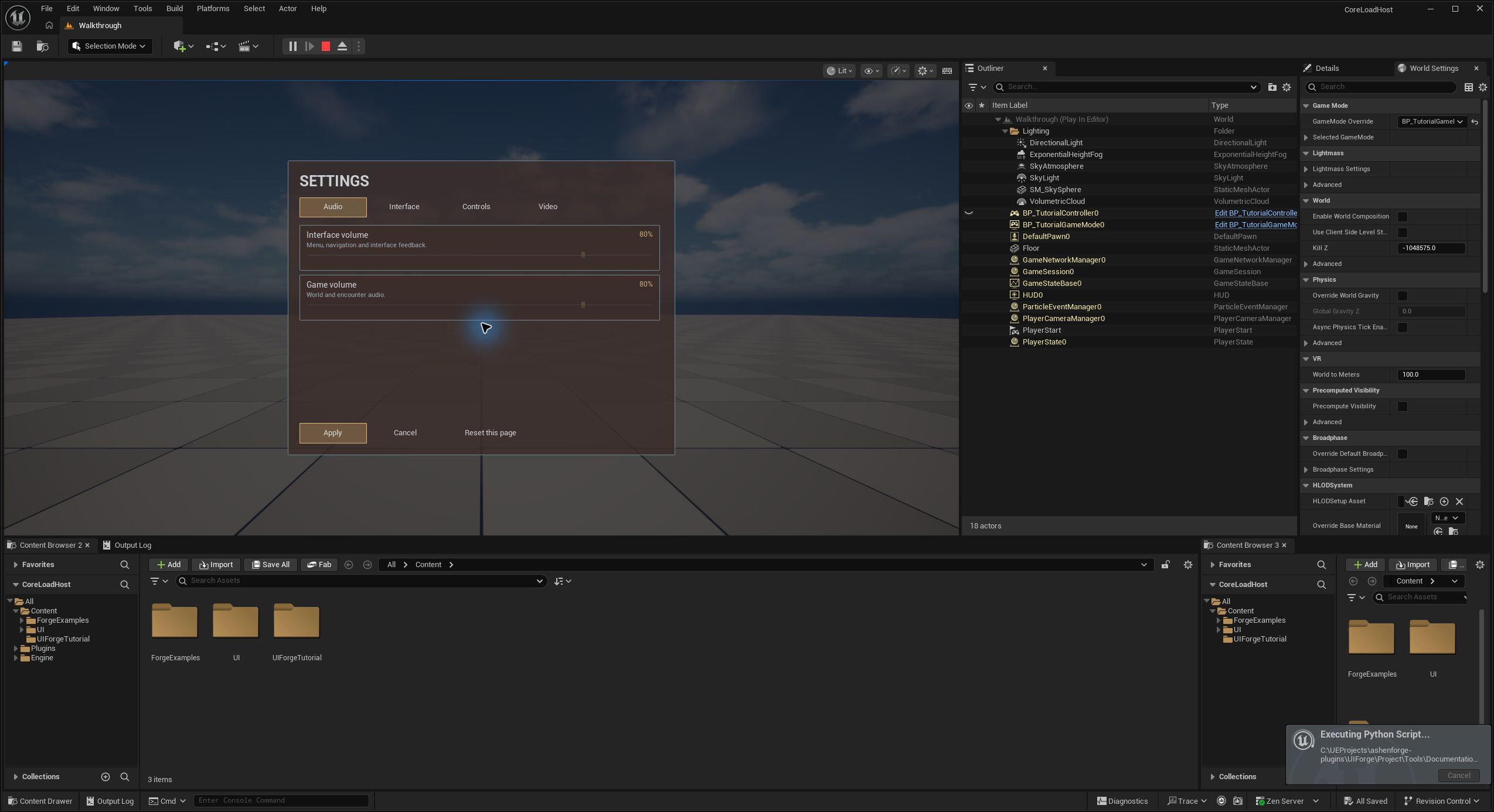
This runtime proof uses UMG's Get Child At → Clear Children → Add Child, reordered Page Ids, Set Label, Select Settings Page and the local subsystem's Set Theme. In Designer, arrange the switcher pages directly instead. Keep each definition's Page Id stable: changing order does not rename category identities or create another editing session.
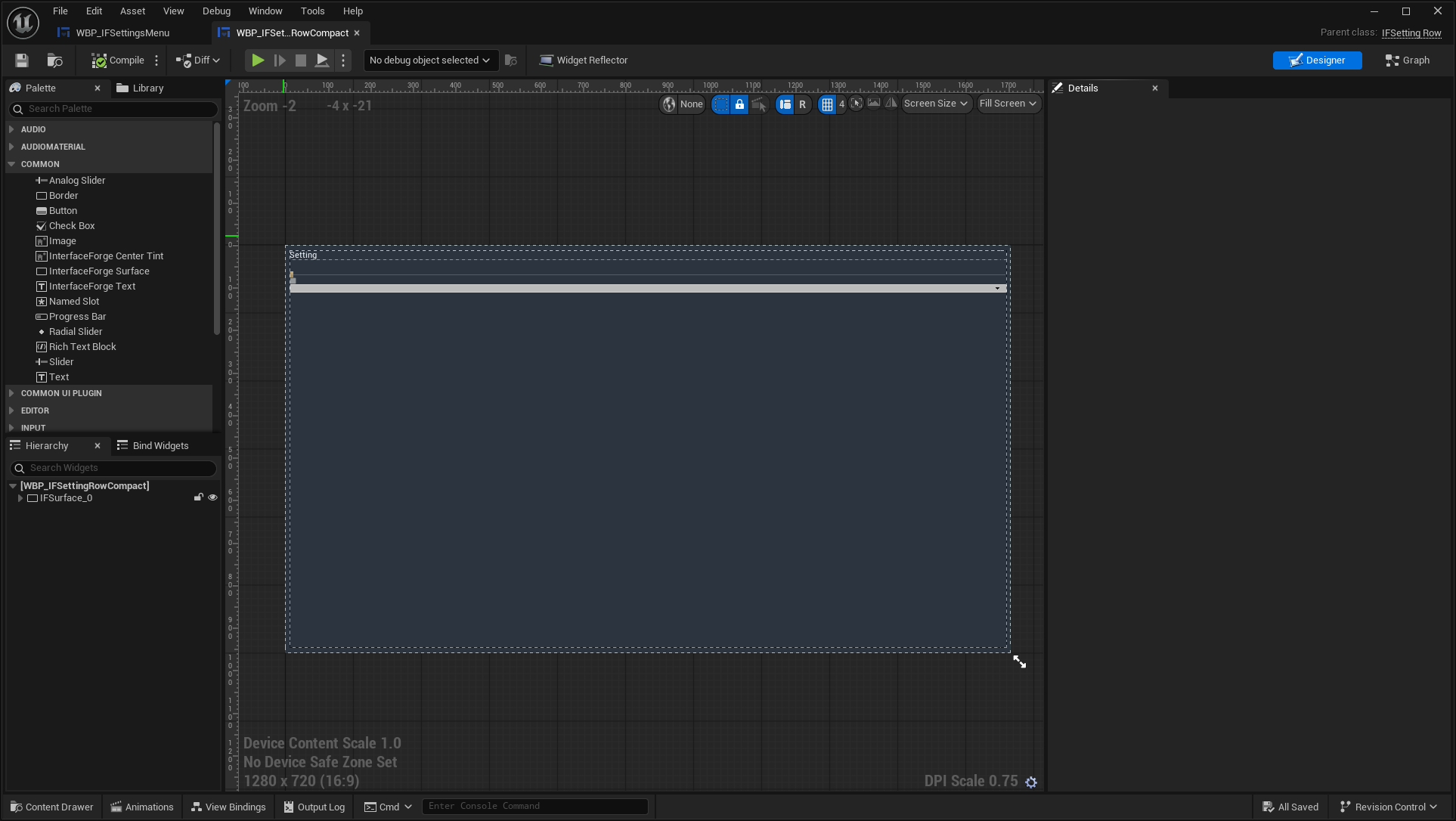
Create a Blueprint derived from IFSettingProvider, select Custom binding on the definition and choose its Provider Class. Implement the real functions:
- Read Value: read the game's committed setting and return Value/Success, or Failure.
- Validate Value: reject unsupported values before any effect.
- Preview Value: apply a reversible temporary effect if the definition enables preview.
- Commit Value: apply and persist through the game's own store; return failure if persistence fails.
- Restore Value: restore the original value after Cancel or a failed Apply. This must also undo a partial custom commit; do not change unrelated settings.
The owning Player Controller and stable Setting Id are supplied to every function. The menu instantiates a provider per custom definition. Its public Editing Session exposes Get Setting Value, Set Setting Value, Has Pending Changes, Restore Defaults, Apply Session and Cancel Session for advanced Blueprint layouts. On Session Changed updates presentation without per-widget population polling.
The included custom definition DA_Setting_InterfaceOpacity selects BP_IFOpacityProvider. Its Read Value graph loads BP_IFDisplayPrefs from the game's SaveGame slot; Preview Value changes the owning local root's render opacity; Commit Value saves; Restore Value undoes preview or a partial commit. The example controller invokes the same public Read/Validate/Preview contract at startup through its map-owned Startup Settings definitions. In your game's Blueprint startup, construct your provider after Create Root and invoke those functions with the owning controller to present the saved setting. Keep that object in a variable if it owns subscriptions.
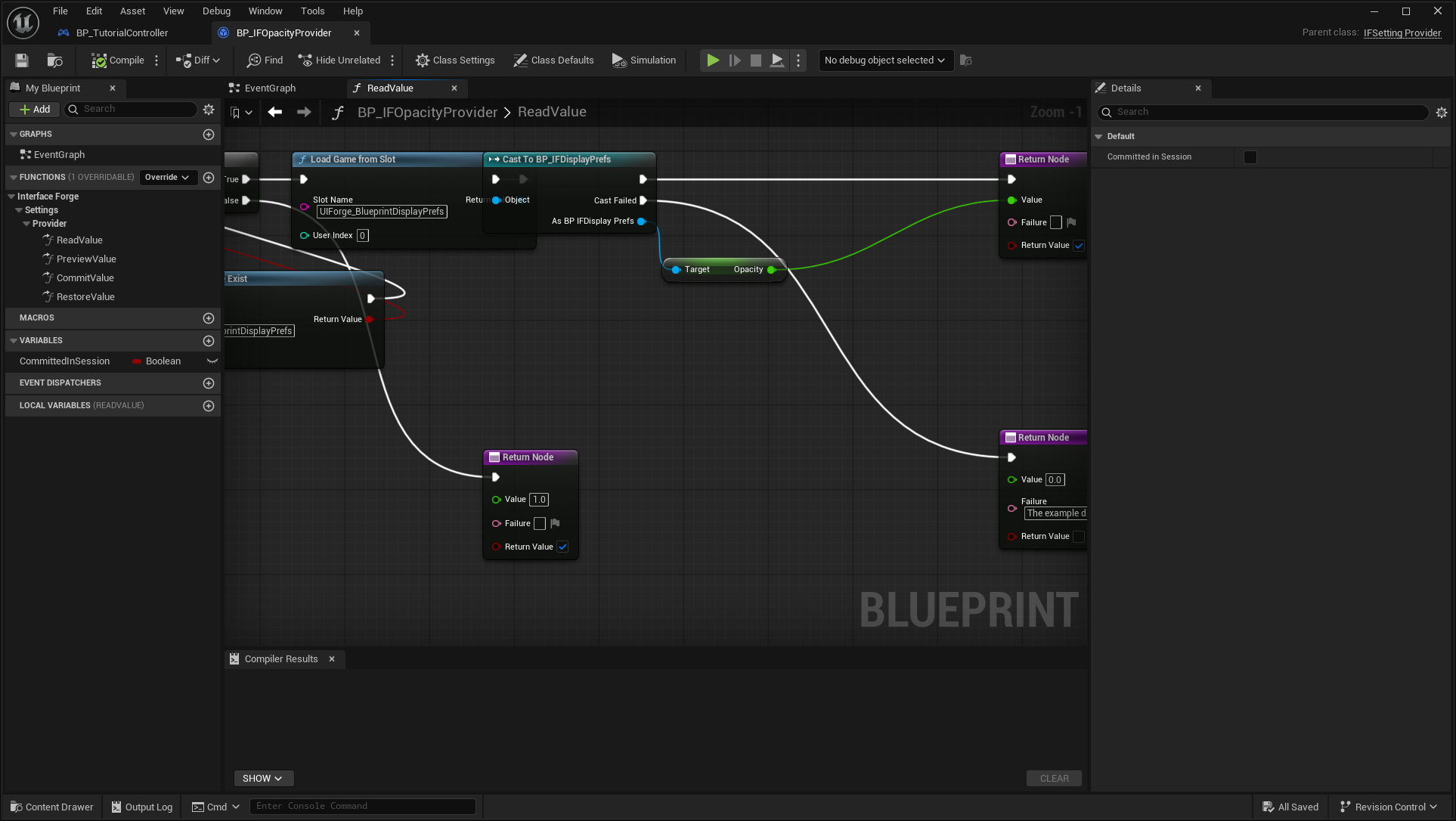
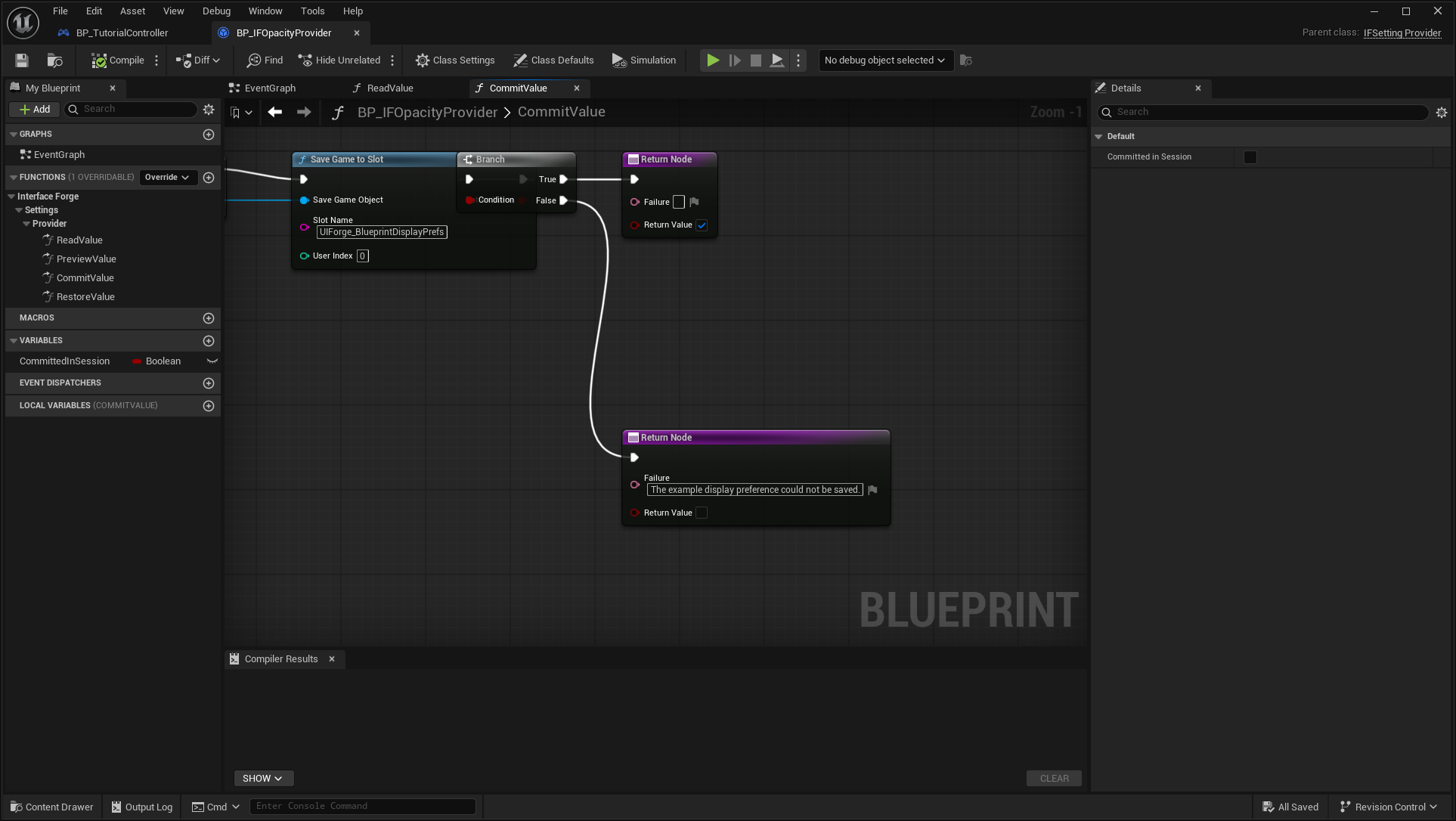
Runtime checks prove that this saved Blueprint provider changes the real root, Cancel restores it without rewriting its save, Apply saves, and a new provider instance reloads the value. The shared menu test also stages a keyboard binding and scale across tabs, cancels both with Back, then applies both and loads them in a new game instance. These are development checks, not packaged or physical-controller certification.
Transactions and limitations
For a custom dropdown option, return a Widget Blueprint/UserWidget containing your text or icon in its Designer tree. ComboBoxString keeps a Slate widget; an unattached plain Text Block returned from a generator can lose its UObject/style during garbage collection. The default themed option supplies a UserWidget lifetime owner automatically. Custom Blueprint generators remain supported and are not replaced by the default.
Back dismisses an open settings dropdown before cancelling the menu. This also applies when the Back input changes from pointer/keyboard to controller presentation. If Slate clears focus while removing the popup window, the row restores focus to its choice control while its screen is still on top. The small closure watch runs only while a dropdown is open; closed settings rows do not poll.
The menu validates drafts before applying. Cancel restores preference preview and discards key drafts. Custom commits have rollback hooks and failures remain visible with drafts retained. This is not an atomic write across SaveGame, Enhanced Input and user-defined persistence. Enhanced Input's Save Settings and Unreal's GameUserSettings persistence expose no success result to this layer, so a disk-write guarantee for those systems is not advertised. Do not use a provider that cannot restore its own partial changes.
Focus/navigation remains based on CommonUI activation ownership; individual rows are ordinary user widgets. See Epic's CommonUI design guidelines and GameUserSettings API for the engine responsibilities. Physical controller testing remains deferred by the user.
For a row added after the menu opens, register its definition in Additional Definitions before opening the screen. In Blueprint, use Create Widget with your row class and owning player, Set Definition, Add Child to the page, then Initialize Setting with the menu’s Editing Session. Designer rows are discovered and initialized automatically. A runtime-created row was verified through this public workflow, including dropdown collection, controller Back and focus restoration.
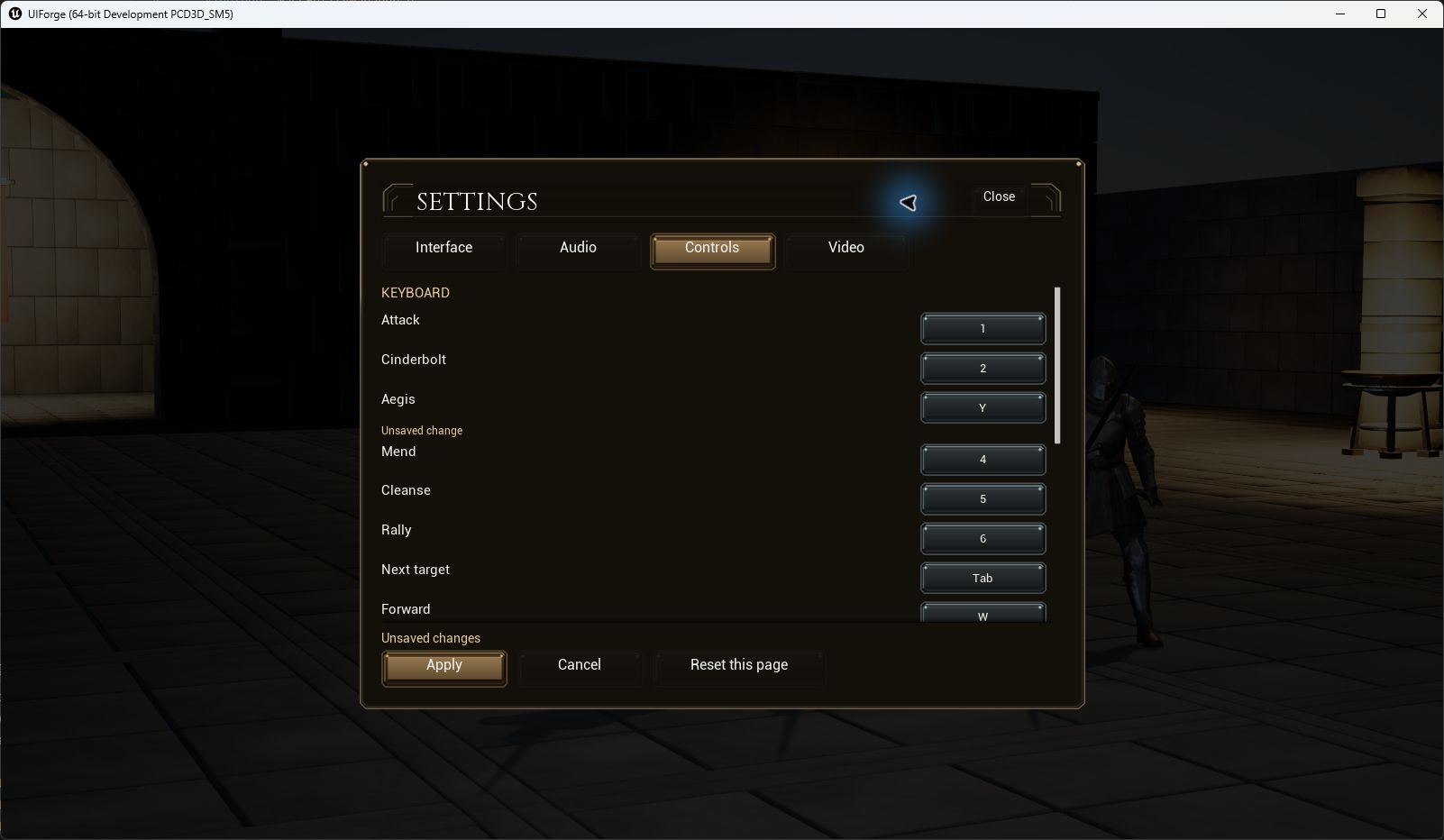
Current packaged remapping proof
In the matching UE5.8.3 Win64Development package, selecting the Aegis key and typingY shows the staged value below. Apply updates the HUD/book prompt. After exiting and restarting the entire process,3 leaves the skill idle andY consumes12Resolve and starts12-second recovery. The test uses an isolated user directory; source user saves remain unchanged. This is real mouse/keyboard input, separate from software controller and settings-session fixtures.